ZebPay - Personal Financing - Comprehensive Case Study
UX Design
Research
Eco System
What is ZebPay?
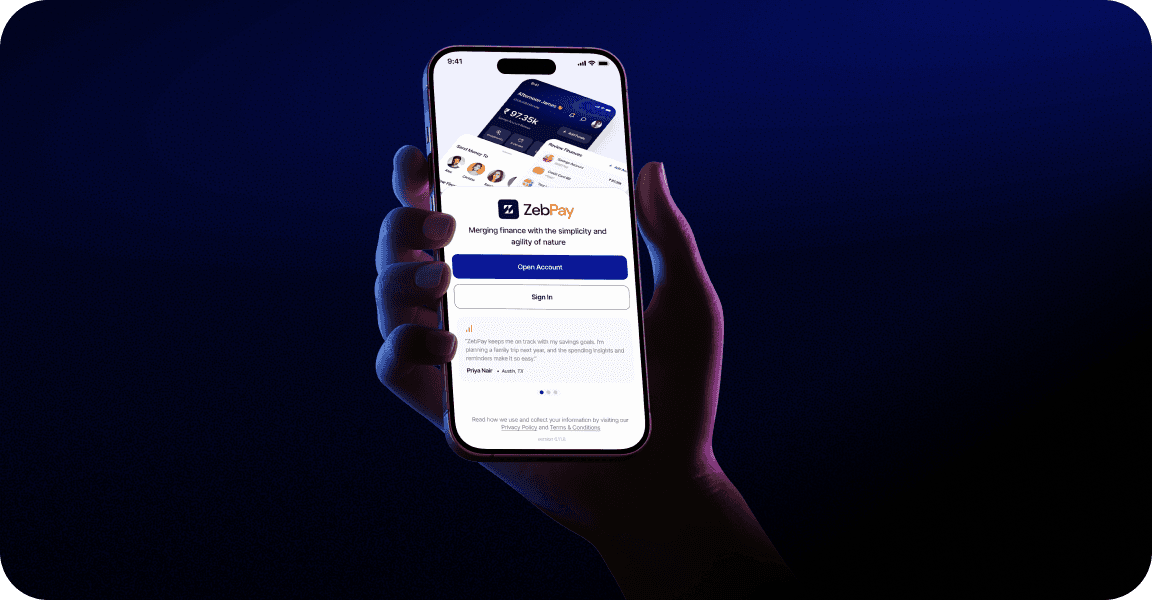
Merging finance with the simplicity and agility of nature
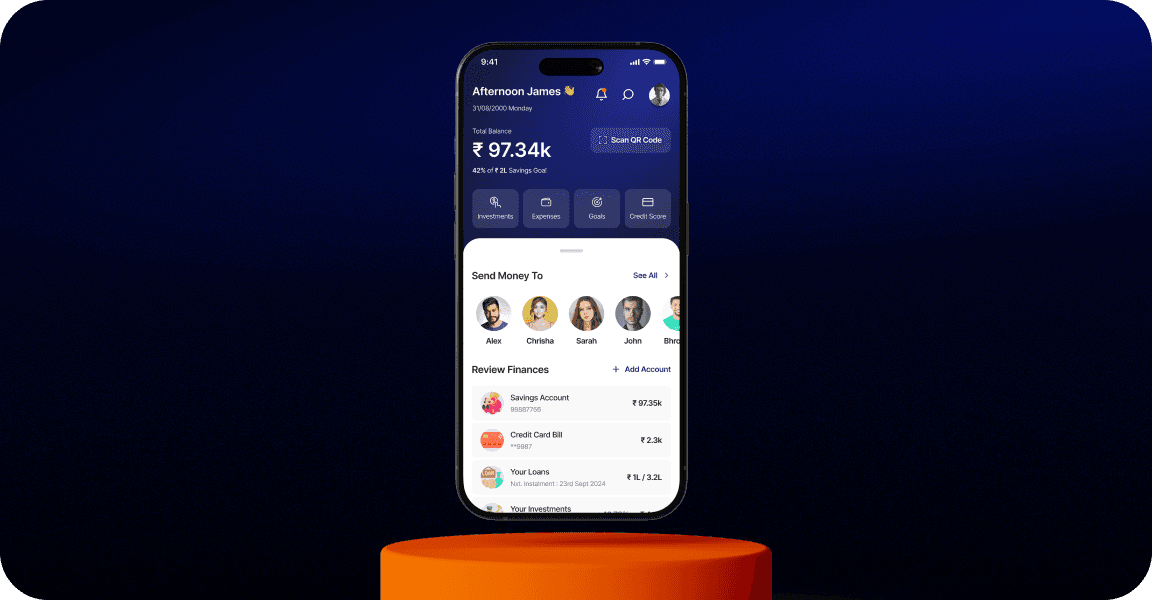
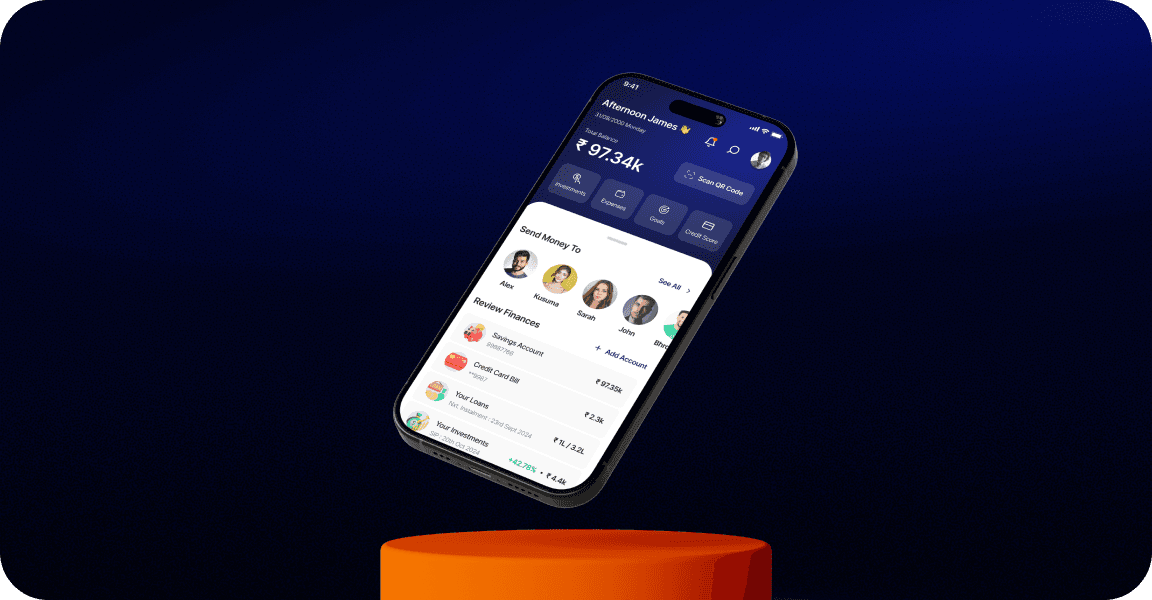
Zeb Pay is a platform designed for financially literate who want a simple way to manage money, track spending, set goals, monitor investments, loans, and overall financial health in one app.
Role
Lead product designer - Lead user researcher
Duration
8 Weeks
Tools
Figma, FigJam, Notion
Project Type
B2C

Project Overview & Problem Statement
Why this matters?
Managing personal finances is complicated due to reliance on multiple platforms for loans, bank accounts, investments, and budgeting. This results in inefficiencies, missed opportunities, and a lack of financial clarity.
Scattered Tools: Using various apps for different financial tasks creates disorganization and inefficiency.
Limited Insights: A fragmented system prevents users from gaining a clear, comprehensive view of their finances.
Security Risks: Multiple platforms increase the risk of data breaches and compromise sensitive information.
Zeb Pay aims to address these issues by providing a secure, integrated platform for all financial needs.
Design Process
The Flow & Time Line
User Research
(3 Weeks)
Research
Interviews
empathy map
personas
customer journey
Housekeeping
(1 Week)
Visualisation
Design system
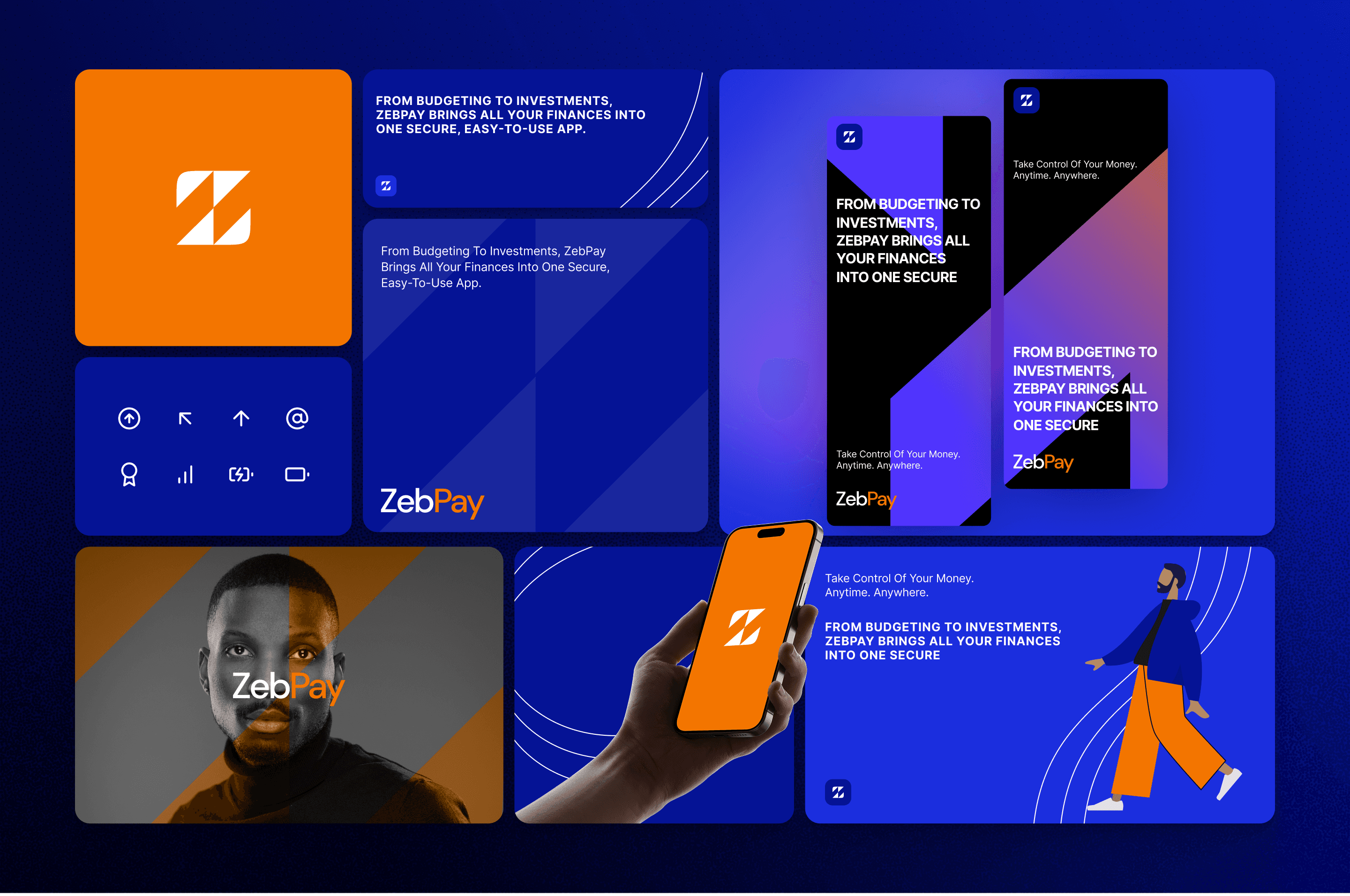
brand & identity
Discovery
(2 Weeks)
Ideation
user-flows
wire-framing
sitemap
QA
(1 Week)
User Testing
UAT
results
Hi-Res
(1 Week)
Hi-Fed Prototype
interactive prototype
adjustments
Research & Discovery
Users and what they need
Who are your users?
Navigating the Financial Management Maze, as personal finances grew more complex, modern earners felt overwhelmed struggling to keep track of spending, investments, bills, and goals across multiple apps, unable to take control of their financial future.
Their Struggles
Financial data scattered across different apps, banks, credit cards, and investment platforms leaves users confused and lacking a clear picture of their finances.
Information Fragmentation:
Users don’t have tools that analyze their specific spending habits and income to create actionable, customized plans aligned with their goals.
Lack of Personalized Planning:
Most users only realize they’re off-track after overspending tools fail to provide proactive guidance to adjust habits in real-time.
Reactive Budgeting:
Users hesitate to connect accounts due to fears about data privacy and unclear explanations of how their information will be used.
Trust & Security Concerns:
The Common Ground!
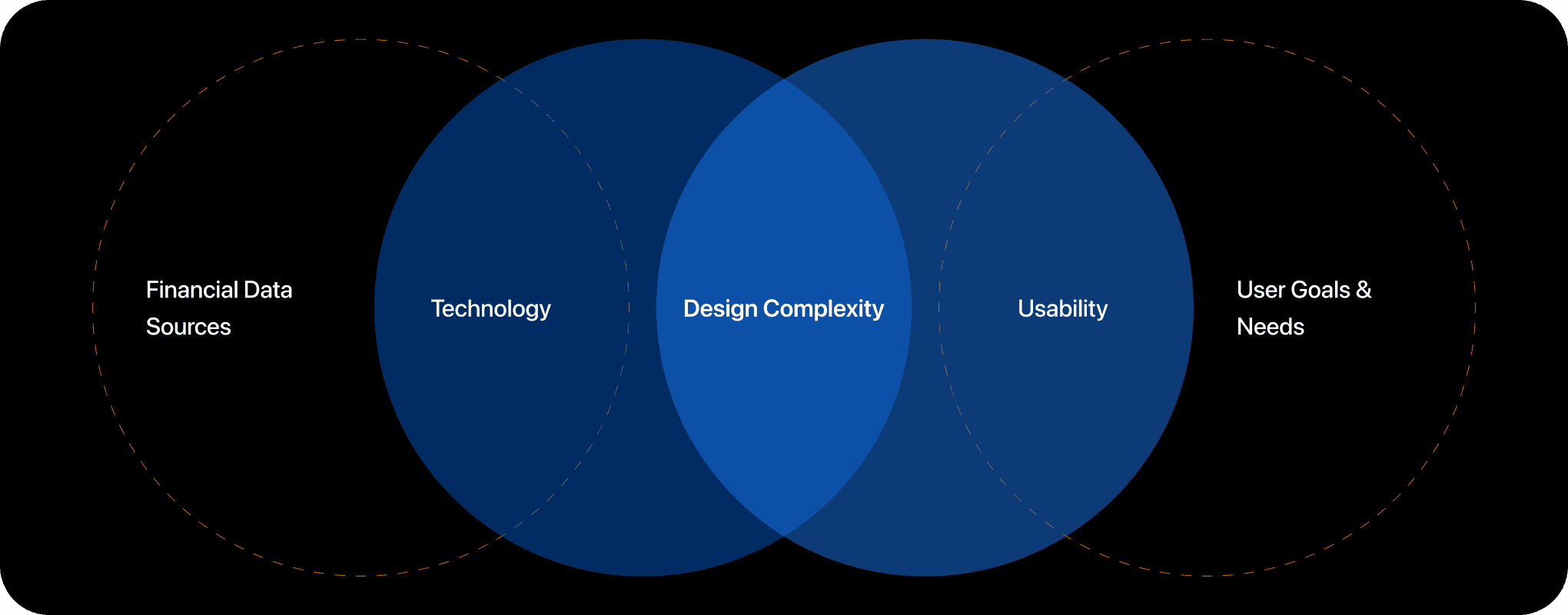
To find the sweet spot for Zeb Pay, we mapped out the intersection between three key areas: Financial Data Sources, Technology, and Usability. We discovered that the biggest challenge lies in the Design Complexity where these three overlap.

Empathy Map
Says. Thinks. Does. Feels.
Says
I wish I could see all my money stuff in one place.
It’s too hard to keep track of my spending and bills across so many apps.
How much should I invest to hit my goals?
Why do I always miss payment deadlines?
Thinks
Am I saving enough for my future?
I’m probably overspending, but I can’t pinpoint where.
There has to be an easier way to manage finances without spreadsheets.
I want something smart that guides me, not just shows numbers.
Does
Switches between banking, investment, and budgeting apps multiple times a day.
Sets reminders manually for bill payments.
Uses Excel or notes app to track expenses and goals.
Searches online for financial advice or calculators.
Feels
Overwhelmed juggling different financial platforms.
Anxious about unexpected charges or missing payments.
Frustrated with generic advice that doesn’t fit their lifestyle.
Motivated to achieve financial goals but unsure how to plan effectively.
Processes
Qualitative & Quantitative Research

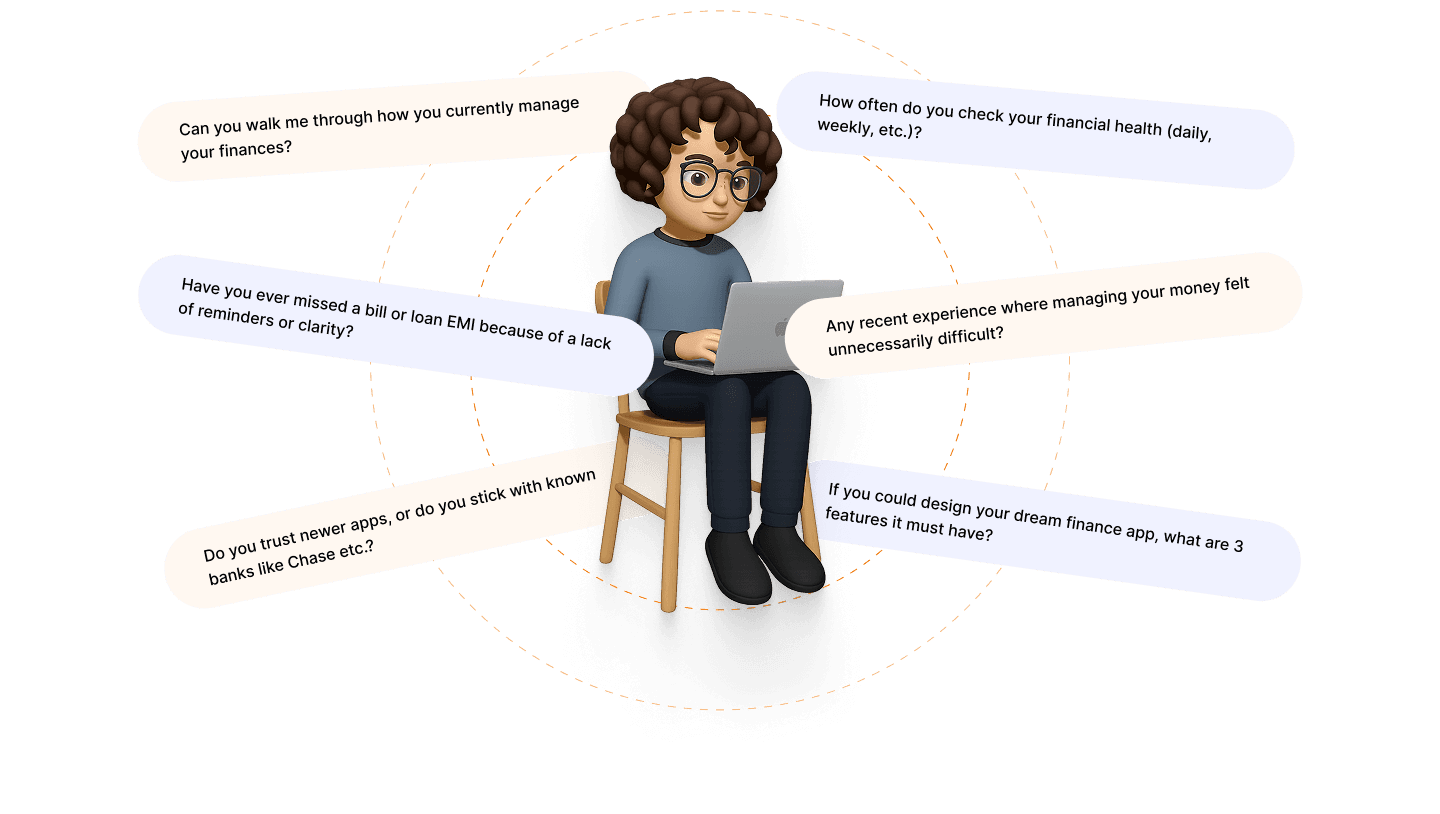
User Interviews
Through one-on-one conversations with real users, we uncovered pain points like the frustration of toggling between multiple finance apps and the desire for a single, guided platform. Interviews helped us surface unspoken needs and emotional triggers such as anxiety around bills and investments. These insights grounded our UX strategy in real human experiences.
The Process
Participant Selection
Carefully curated a diverse pool of participants, across income levels to capture different financial behaviours.
Included individuals with varying levels of financial literacy, app usage habits, and financial goals, such as budgeting, investments, and loan management.
Questionnaire Development
Craft open-ended questions focusing on motivations, frustrations, and workflows (e.g., “Walk me through how you check your investments.”).
Avoid leading questions; instead, encourage storytelling for authentic insights.
Conducting Interviews
Scheduled and conducted a comfortable, conversational environment to build rapport and gain candid feedback.
Use active listening and follow-up probes to dive deeper into key themes.
Observations
Noted on non-verbal cues like hesitation, excitement, or confusion during certain topics or tasks.
Document repeated patterns or unexpected insights that emerge across participants.
User Pain Points

“I’m using five apps for my money and still feel lost. Nothing talks to each other.”
User Expectations
During the interview process, I identified key features and functionalities users desire in an all-in-one financial management app. Users expressed expectations about seamlessly managing their financial lives, including tracking loans, credit card bills, bank accounts, investments, expenses, and budgets.
Turns out, users trusted Reddit and finance YouTubers & Influencers more than their own banking apps.
Most people figured out their financials by their friends as there is no guidance, no clarity, just confusion.
Fragmented Financial Ecosystem
“I have to juggle 5 different apps just to know where my money is.”
Lack of Clarity in Spending & Saving
“I don’t even know where half my money goes each month.”
Information Overload Without Context
“I see charts and terms I don’t understand. What should I even do with this?”
No Goal-Based Planning
“I wish I could set a goal and just see what steps I need to take.”

Primary Users
Young Working Professionals
Newly employed
Urban professionals
Tech-savvy
Side hustlers
First-time investors
Budget-conscious
Salary-driven planners
Secondary Users
Financially Anxious Individuals
Students
Debt-carrying users
Overwhelmed spenders
Passive earners
Subscription forgetters

User Persons
Based on the interview insights
Meet Alex!
Background
Alex is a 29-year-old entrepreneur managing multiple projects and personal investments.
He values financial transparency and prefers an all-in-one app to track his loans, accounts, and investments efficiently.
Behaviour & Goals
Frequently checks his investment portfolio to monitor performance and adjust strategies.
Prioritizes staying informed about his overall financial health in real time.
Seeks a platform that minimizes effort and maximizes clarity in managing finances.
Pain Points
Struggles with fragmented financial tools, making it hard to track everything in one place.
Finds current financial apps overly complicated, lacking simplicity and a user-friendly interface.
Is concerned about the security of his financial data across various apps.
Tech Savviness
Comfortable with technology and appreciates apps that integrate modern features like AI-driven insights and automation.
Prefers tools that are intuitive yet offer advanced customization options for power users like him.
Expectations from Zeb Pay
A centralized platform to view and manage loans, accounts, and investments seamlessly.
AI-powered financial insights to help him make better decisions.
Enhanced security features to ensure peace of mind while using the app.

Meet Cynthia!
Background
Cynthia is a 25-year-old recent graduate starting her first job in marketing.
She feels overwhelmed managing her finances and prefers simple, beginner-friendly tools to track her budget and savings.
Behaviour & Goals
Checks her bank balance occasionally to ensure she stays within her budget.
Wants to build better financial habits, like saving regularly and reducing unnecessary expenses.
Prefers a straightforward app that provides guidance without being overly technical or complex.
Pain Points
Struggles with understanding financial jargon and navigating traditional banking apps.
Feels intimidated by investment options and lacks confidence in making financial decisions.
Finds it hard to keep track of payment due dates and avoid late fees.
Tech Savviness
Comfortable using apps but prefers those with minimal learning curves and clean, simple designs.
Values apps with helpful tutorials or tips to guide her through features and processes.
Expectations from Zeb Pay
A user-friendly platform that consolidates her bank accounts, savings, and expenses in one place.
Budgeting tools and reminders to help her stay on track financially.
Personalized tips and insights to build confidence in managing her finances.
Ideation
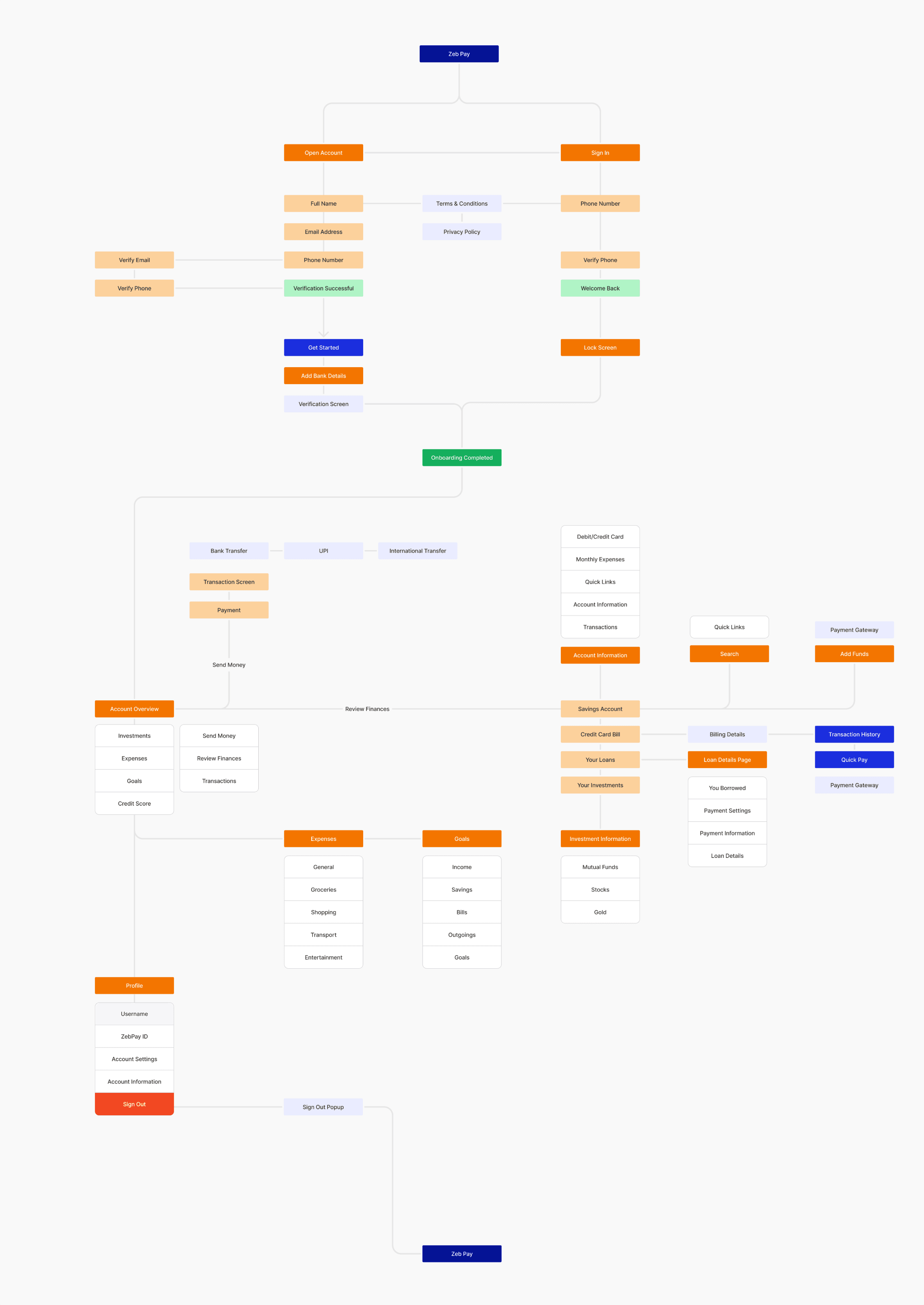
Core - user flow : Customer Journey
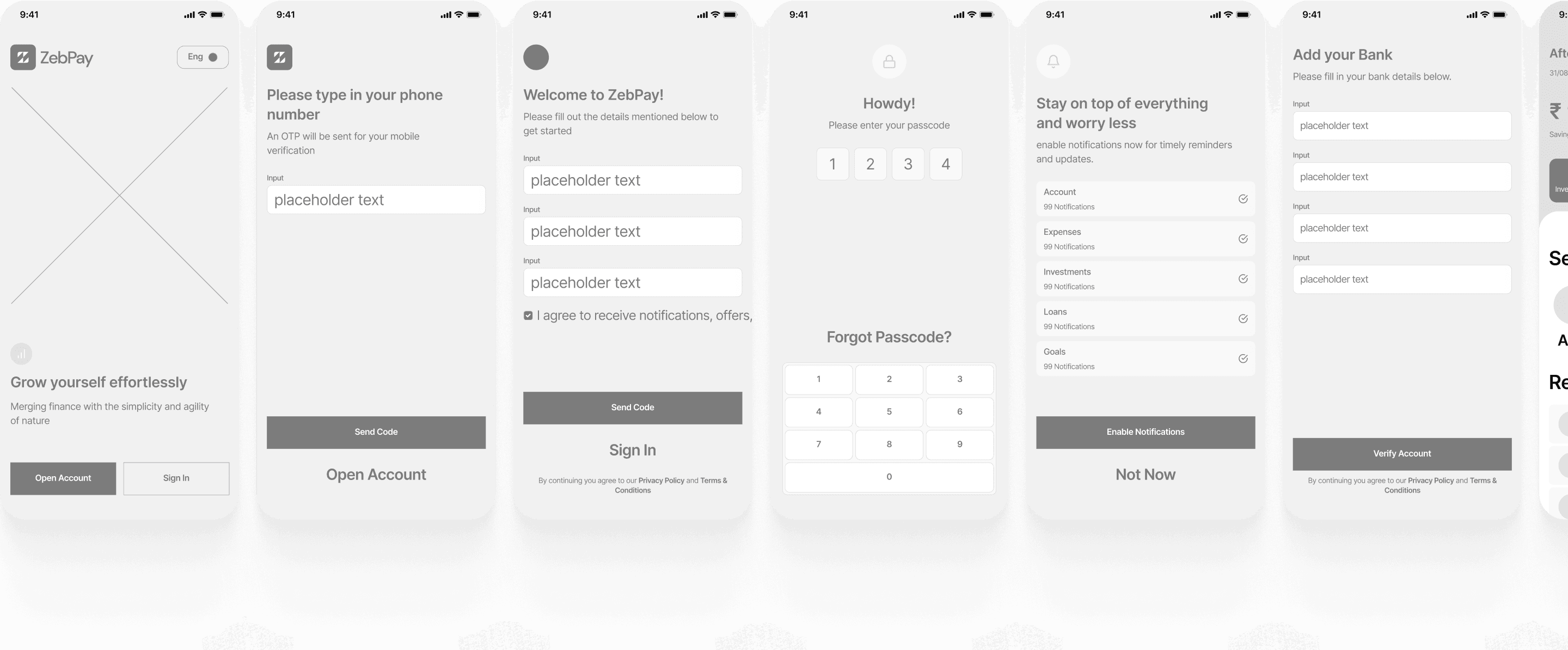
Wire-framing
Where your ideas become concepts

Style Overview
Design System
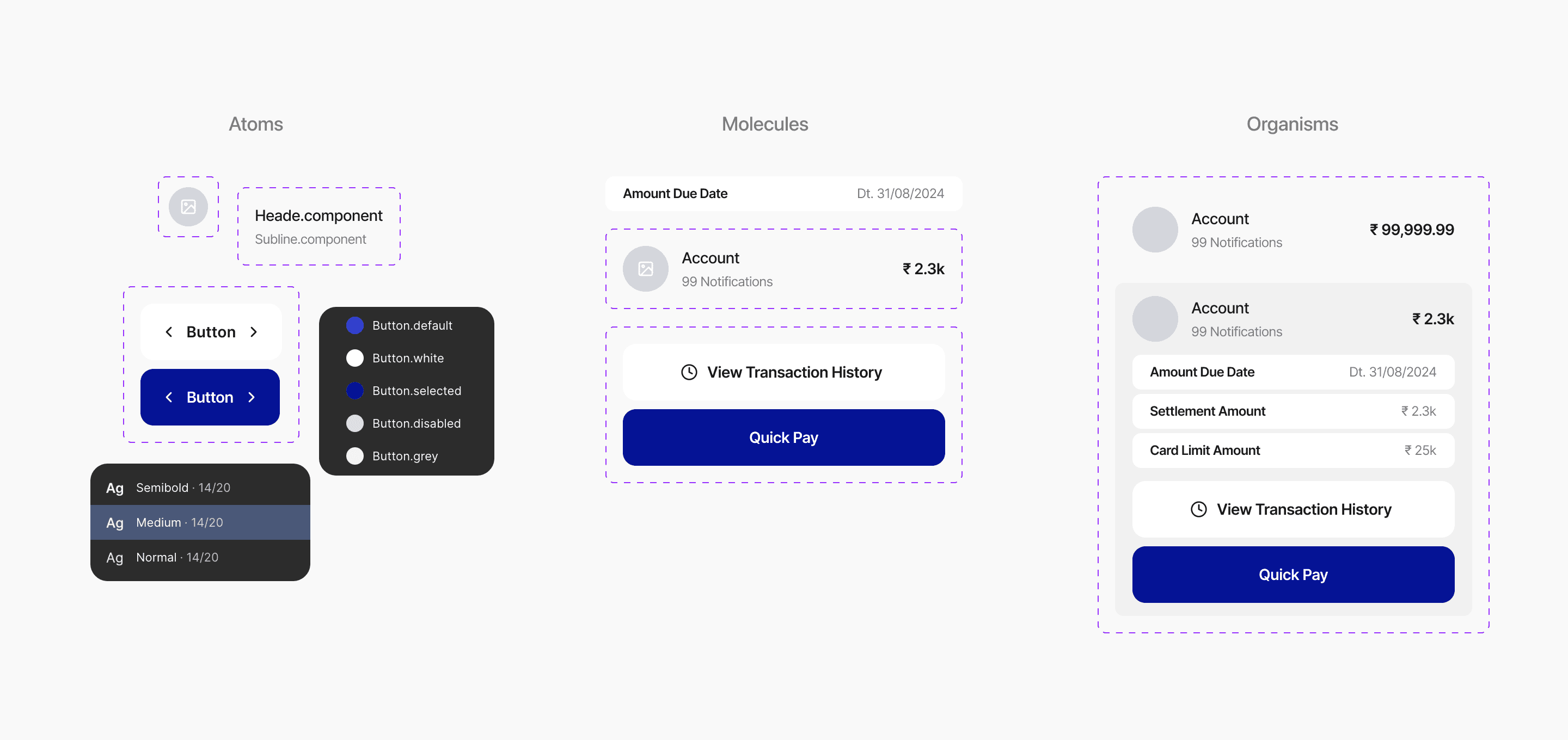
Inter
Aa Bb Cc Dd Ee Ff Gg Hh Ii Jj Kk Ll Mm Nn Oo Pp Qq Rr Ss Tt Uu Vv Ww Xx Yy Zz
Base Value: 16
Scale: 1.2
48px
3.000rem
Grow Yourself Effortlessly With ZebPay
40px
2.500rem
Grow Yourself Effortlessly With ZebPay
32px
2.062rem
Grow Yourself Effortlessly With ZebPay
28px
1.750rem
Grow Yourself Effortlessly With ZebPay
24px
1.438rem
Grow Yourself Effortlessly With ZebPay
18px
1.188rem
Grow Yourself Effortlessly With ZebPay
16px
1.000rem
Grow Yourself Effortlessly With ZebPay
12px
0.812rem
Grow Yourself Effortlessly With ZebPay
11px
0.688rem
Grow Yourself Effortlessly With ZebPay
Brand.colors/Brand.primary
RGB: 27, 46, 222
HEX: #1B2EDE
Opacity: 100%
Brand.colors/Brand.primary.dark
RGB: 5, 19, 149
HEX: #051395
Opacity: 100%
Brand.colors/Brand.primary.darkest
RGB: 2, 7, 47
HEX: #02072F
Opacity: 100%
Brand.colors/Brand.primary.light
RGB: 234, 236, 255
HEX: #EAECFF
Opacity: 100%
Brand.colors/Brand.secondary
RGB: 243, 117, 0
HEX: #F37500
Opacity: 100%
Brand.colors/Brand.secondary.lightest
RGB: 255, 248, 241
HEX: #FFF8F1
Opacity: 100%
Button.colors/Button.default
RGB: 27, 46, 222
HEX: #1B2EDE
Opacity: 100%
Button.colors/Button.white
RGB: 255, 255, 255
HEX: #FFFFFF
Opacity: 100%
Button.colors/Button.selected
RGB: 5, 19, 149
HEX: #051395
Opacity: 100%
Button.colors/Button.disabled
RGB: 224, 224, 224
HEX: #E0E0E0
Opacity: 100%
Brand.colors/Grad.one
Brand.colors/Grad.two
Iconography
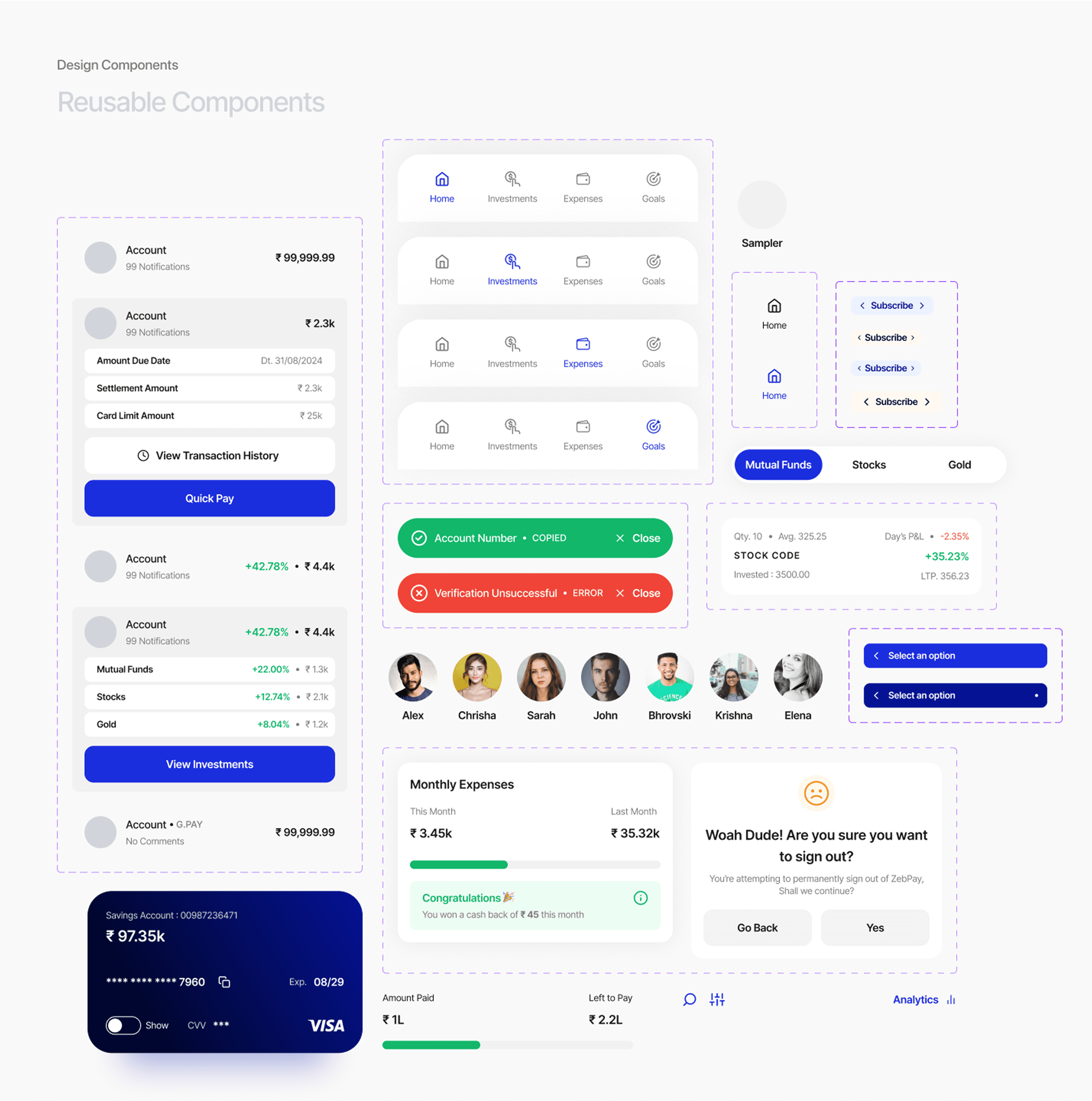
The Process
Usability Testing

User Interviews
Usability testing was conducted using the Maze App
Responses
22
Study Overview
Objective
The goal of this usability study was to assess the overall user experience across ZebPay’s key features : onboarding, dashboard, account linking, expense tracking, investments, loans, and savings goals. We aimed to validate the usability of core flows, uncover pain points, and ensure that the app feels intuitive, helpful, and empowering for users managing personal finances.
Participants
We conducted testing with a group of 22 users, representing our target demographic: working professionals, first-time investors, and tech-savvy individuals in their 20s to 40s. This group helped us gather a broad range of feedback across different financial behaviours and goals.
Date & Platform:
Testing took place in Jan 2025 using the Maze App linked with Figma prototypes, allowing us to capture both qualitative and quantitative data. We tested multiple flows including onboarding, account review, fund transfers, and goal tracking.
Prototype testing for the Onboarding Flow
We conducted usability testing on the onboarding flow using a Figma prototype integrated with the Maze App. The goal was to evaluate how intuitively users could complete the sign-up and verification process for ZebPay.
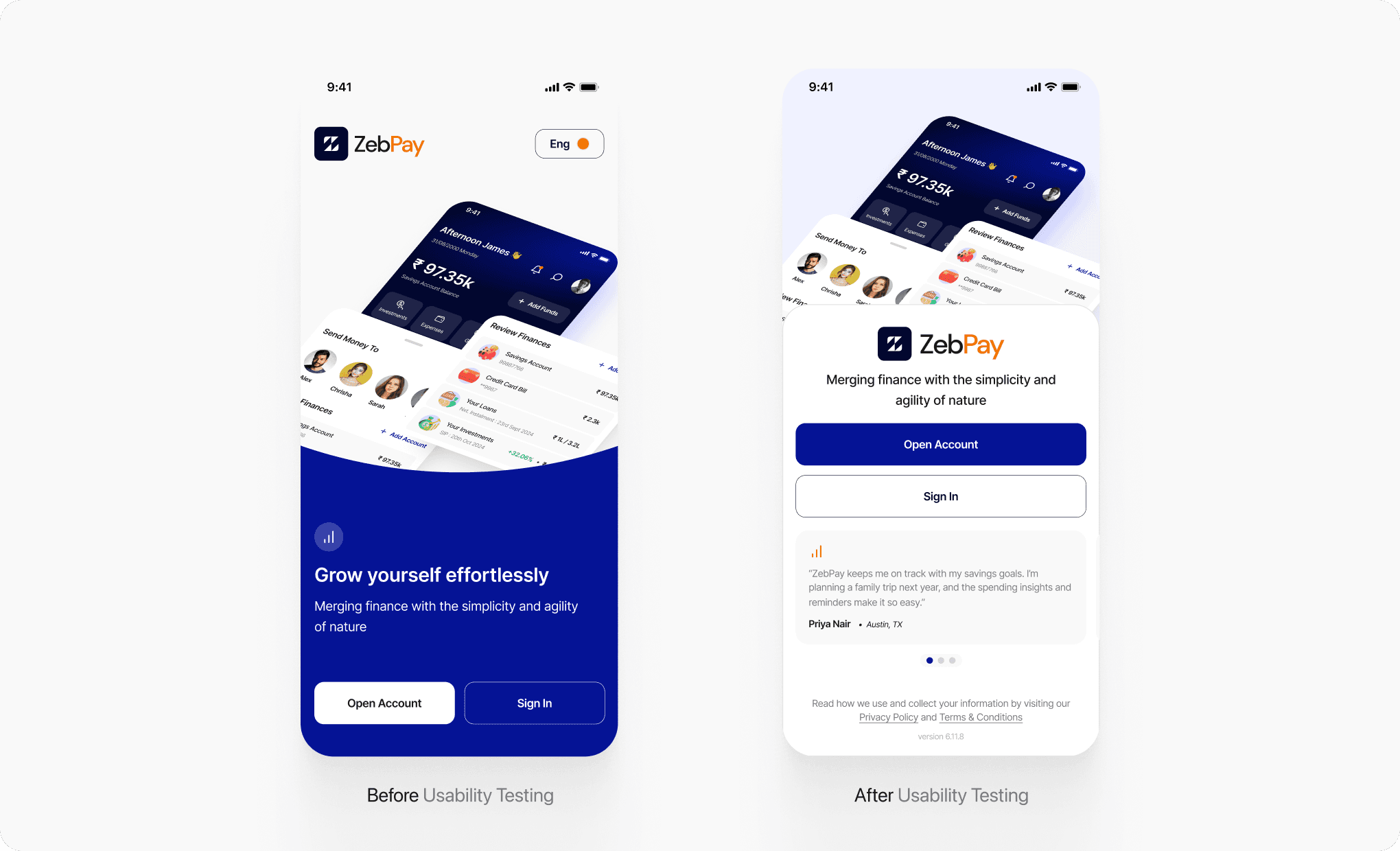
User Behaviour Insight
During usability testing, we observed that users’ visual attention was primarily drawn to the center and bottom half of the screen, areas where action buttons typically reside.
However, the original splash screen featured an oversized dashboard graphic, pushing CTAs below the primary interaction zone, resulting in users taking longer to locate the “Open Account” or “Sign In” buttons.
Users also showed hesitation at first glance due to lack of social proof or clarity about what the app truly offered, particularly since it’s a financial product where credibility and purpose are key decision drivers.
Clickmaps and feedback revealed that the language toggle and absence of a clear value proposition created minor friction, especially for first-time visitors who wanted quick, trustworthy context.
Solutions Implemented
Visual simplification: Reduced the illustration size and restructured the layout to bring CTAs into the primary visual and interaction zone, improving tap-through rates.
Value-focused messaging: Replaced vague taglines with a purpose-driven headline that positioned ZebPay as simple, agile, and trustworthy.
Testimonial carousel added: Social proof from real users now sits above the fold, subtly reinforcing reliability and positive outcomes.
Clarity through contrast: Buttons were visually enhanced for better accessibility, and unnecessary distractions were removed to help guide user intent.
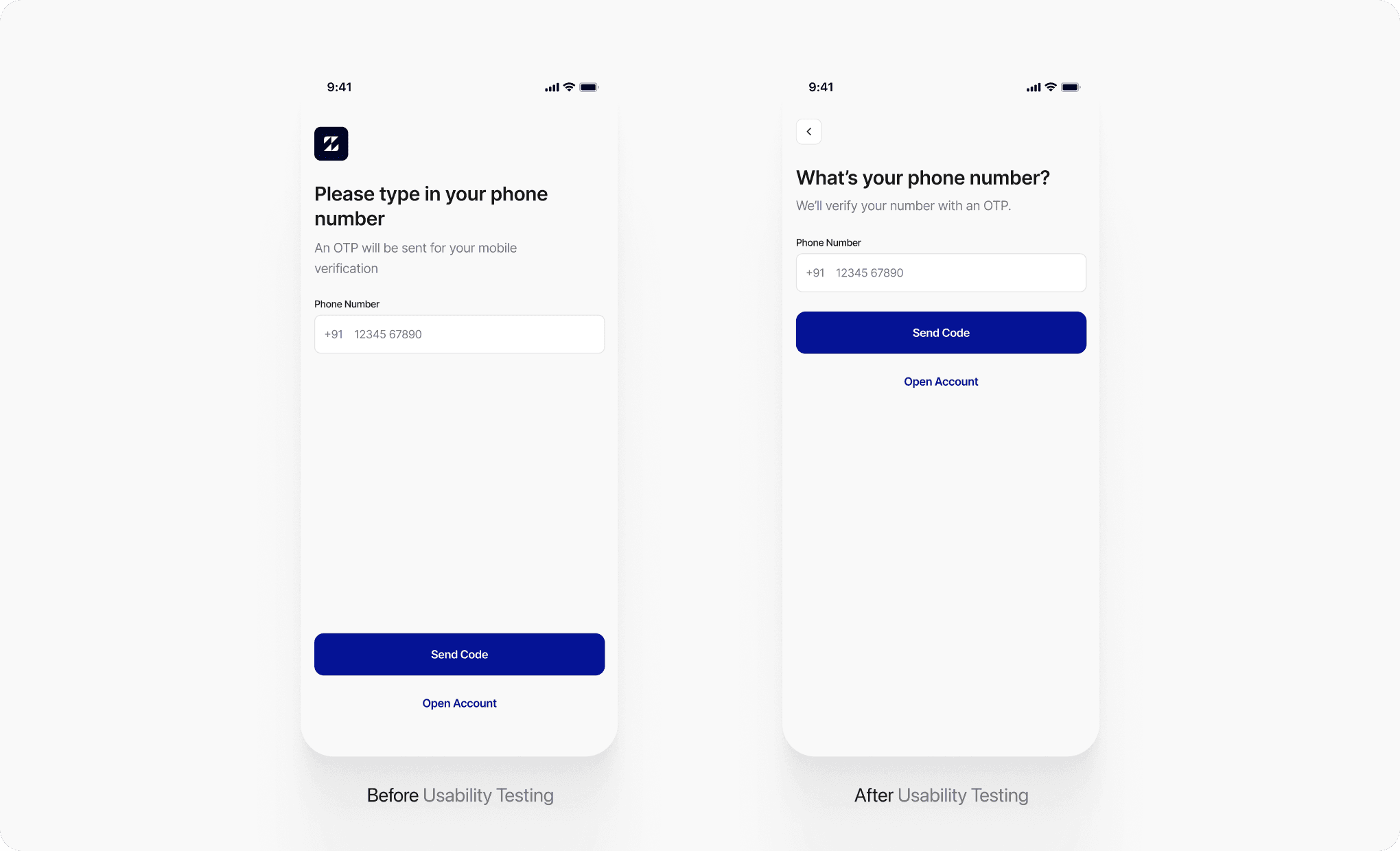
User Behaviour Insight
Users instinctively scanned from top to mid-screen, expecting clarity, familiarity, and directional flow. However, the lack of a back button or navigation indicators made the screen feel like a dead end.
The logo-heavy top with no visual anchors or progression indicators caused confusion about whether they were in a login flow or a new account creation path.
Eye-tracking and click mapping revealed the “Send Code” CTA was often overlooked on the first pass due to visual imbalance and poor content hierarchy.
Additionally, test participants preferred more conversational copy over formal, command-like instructions (“Please type in your phone number”).
Solutions Implemented
Added a back button to improve control and task flexibility, directly addressing user frustration.
Minimized logo dominance, allowing more space for functional elements and improving flow clarity.
Enhanced heading and subtext hierarchy for faster comprehension—switching to “What’s your phone number?” made it sound more natural and human.
CTA repositioning: Buttons were moved higher up within the interaction zone, aligning with thumb-friendly areas and increasing visibility.
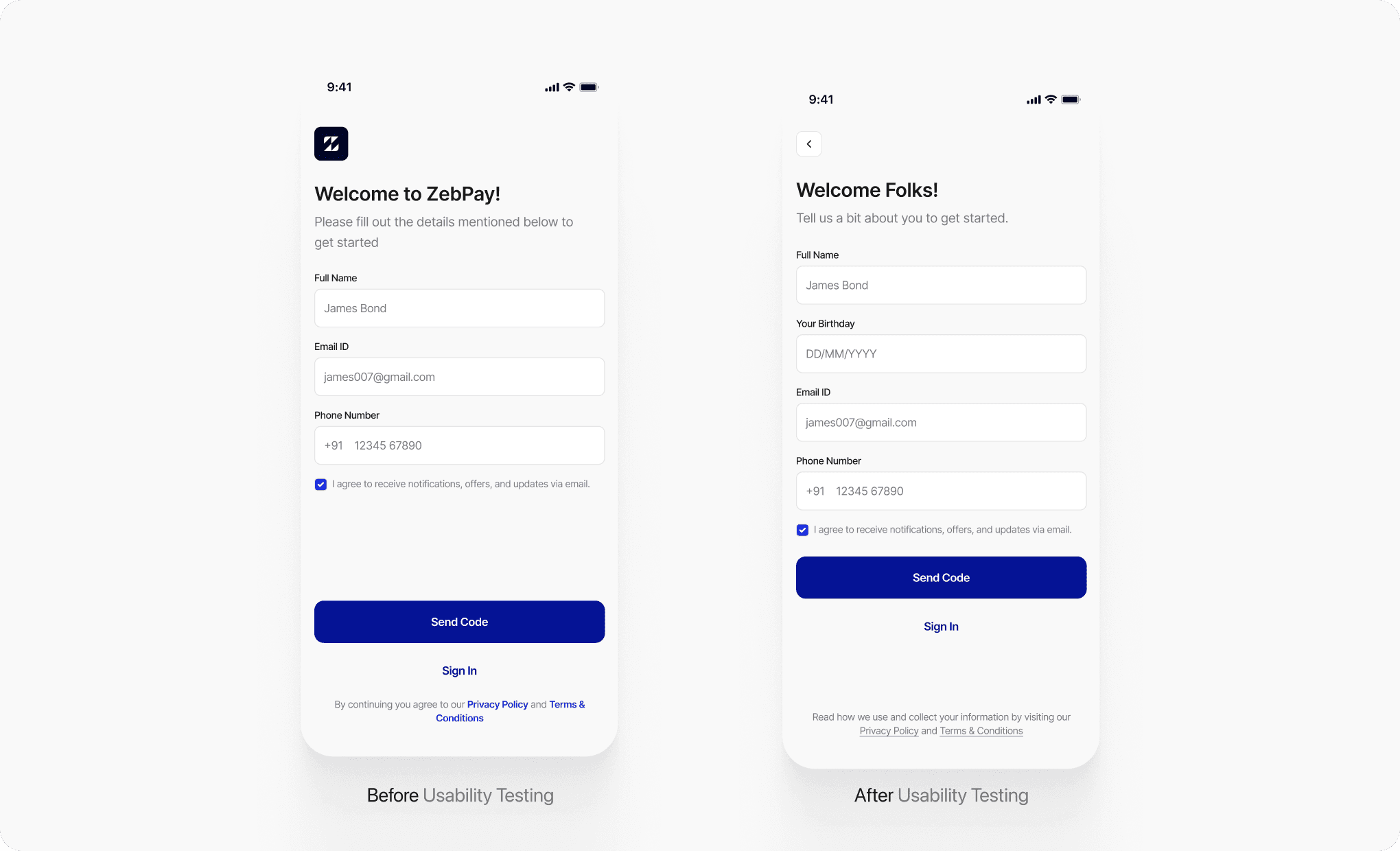
User Behaviour Insight
Click mapping and think-aloud protocols revealed hesitation around the "Send Code" button, with users double-checking input fields for missing information.
Many users instinctively looked for birthday or identity fields, expecting it as part of a financial onboarding process.
Solutions Implemented
Added Birthday Field: This improved trust and reduced user friction by aligning with mental models users were more confident they were completing a full KYC.
Rephrased and restructured copy: “Welcome Folks!” and the supportive subtext created a more conversational entry point, lowering perceived effort.
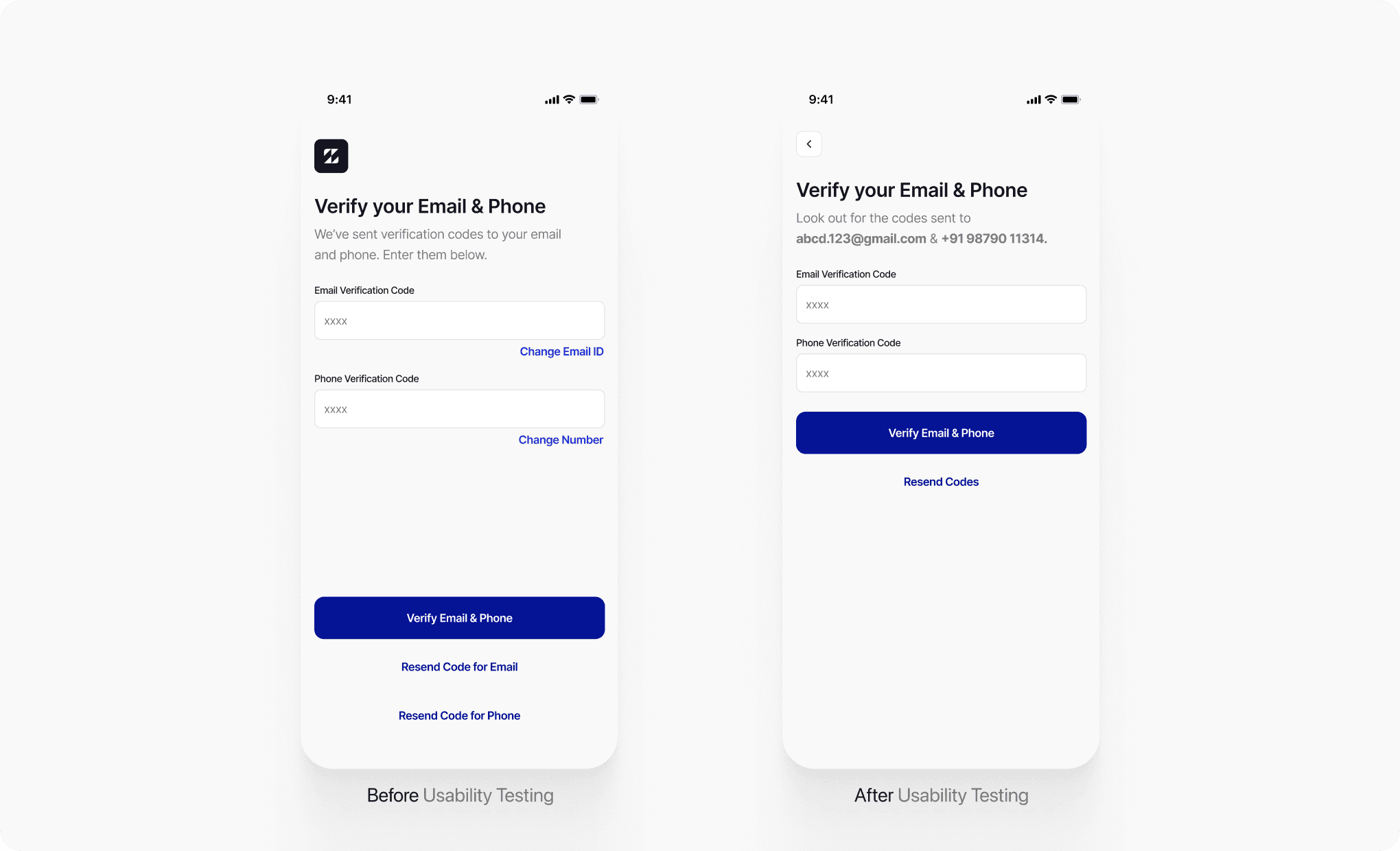
User Behaviour Insight
During the testing sessions, users frequently paused on this screen to reconfirm where the codes were sent, indicating a gap in context communication.
Some users missed the separate resend buttons or thought the two “Resend Code” options were clickable labels rather than action buttons.
Solutions Implemented
Displayed destination info inline: By stating the actual masked email and phone number under the headline, users immediately knew where to look for the codes, reducing bounce-back time.
Consolidated resend actions: A single, clearly-labeled “Resend Codes” link minimized confusion, and was visually de-cluttered to allow easier focus on code entry and confirmation action.
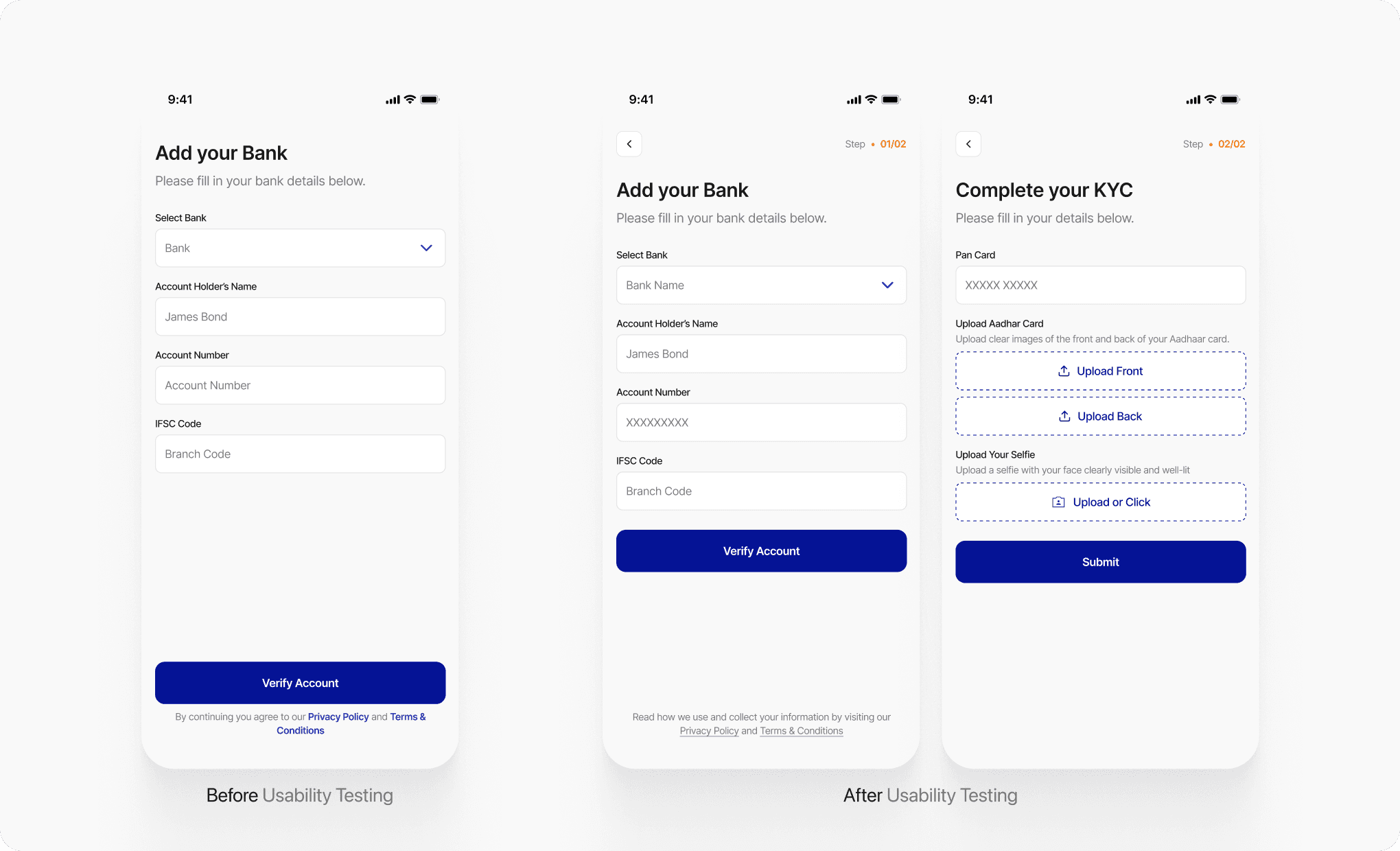
User Behaviour Insight
Users often lingered on this final screen longer than expected, unsure if they needed to take further action or if the onboarding was truly complete.
A few users expressed uncertainty about what comes next after account creation, indicating a lack of directional cue.
Solutions Implemented
Step Indicator Introduced: "Step 01/02" and "Step 02/02" now appear on top to set expectations and reduce cognitive overload.
KYC Added as a Natural Progression: Instead of ending after bank details, users are taken to a new screen to complete KYC—making the process linear and goal-driven.
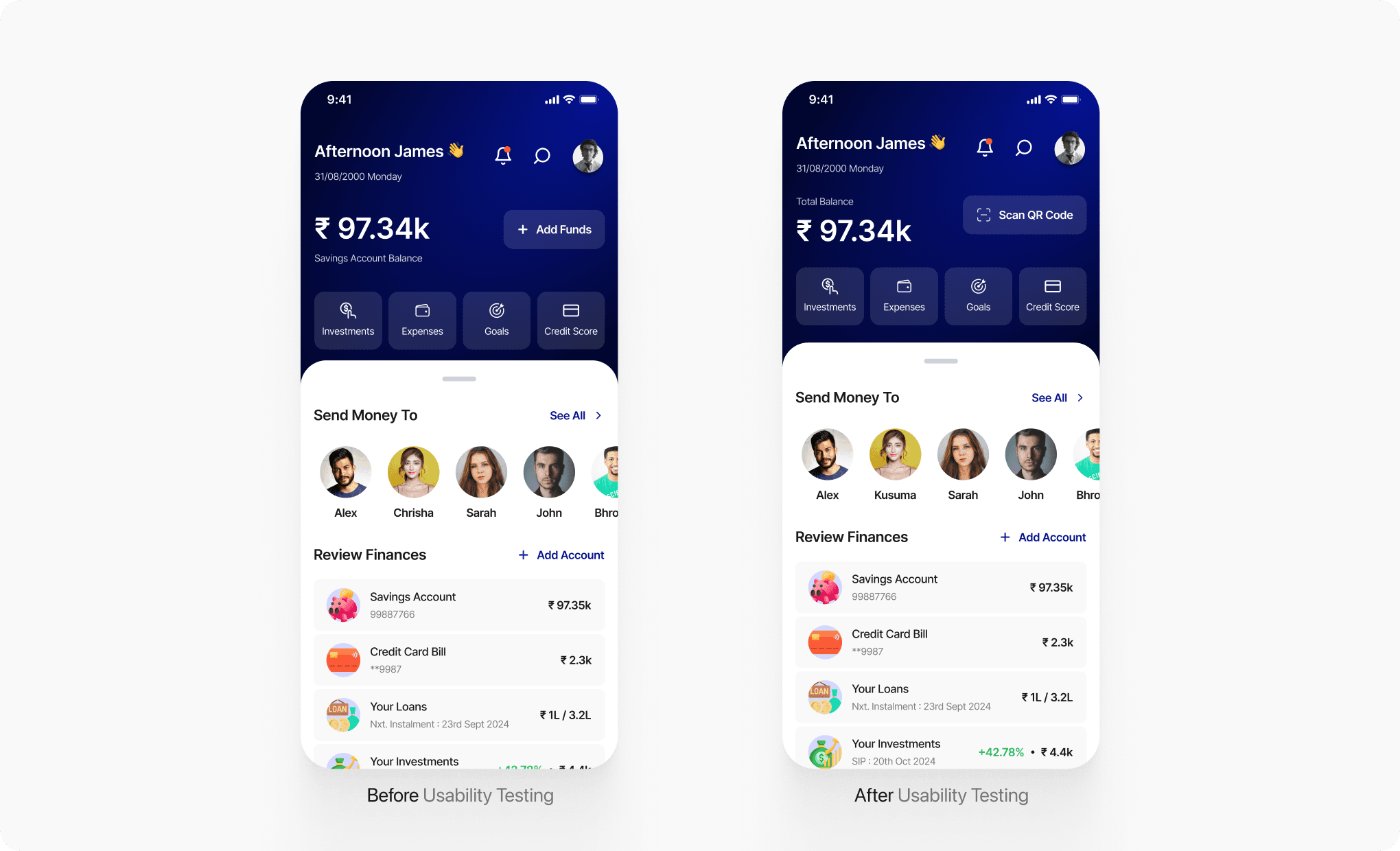
Conclusion
Interactive Prototype Testing
The usability testing of the ZebPay onboarding flow revealed that small but targeted design adjustments, such as breaking complex tasks into smaller steps, improving visual hierarchy, simplifying language, and adding contextual guidance, significantly reduced user hesitation and improved task completion rates.
92.0%
Success Rate
4.7%
Drop Off
3.3%
Mis-click Rate

Accessibility Test
Contrast Checker
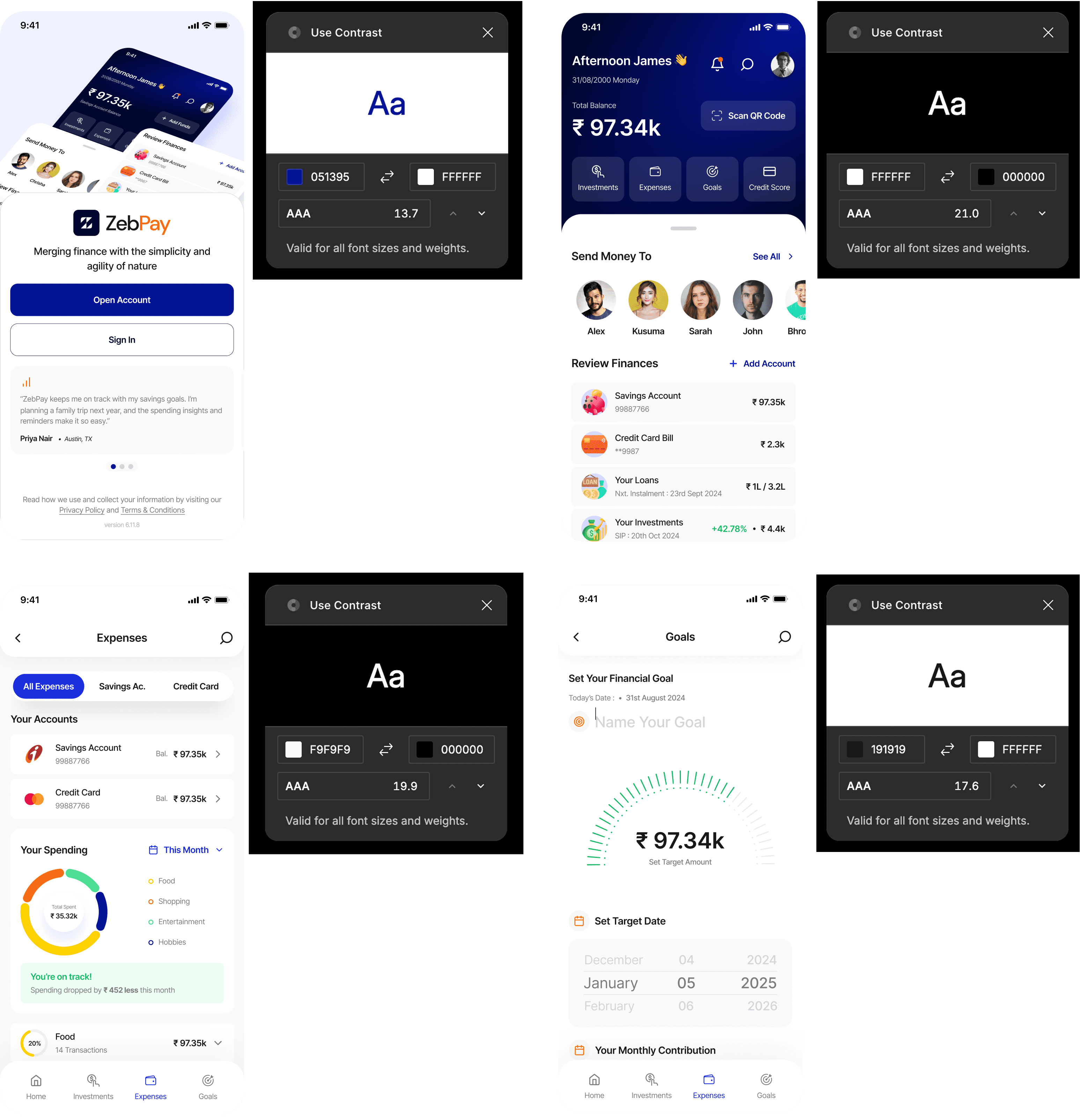
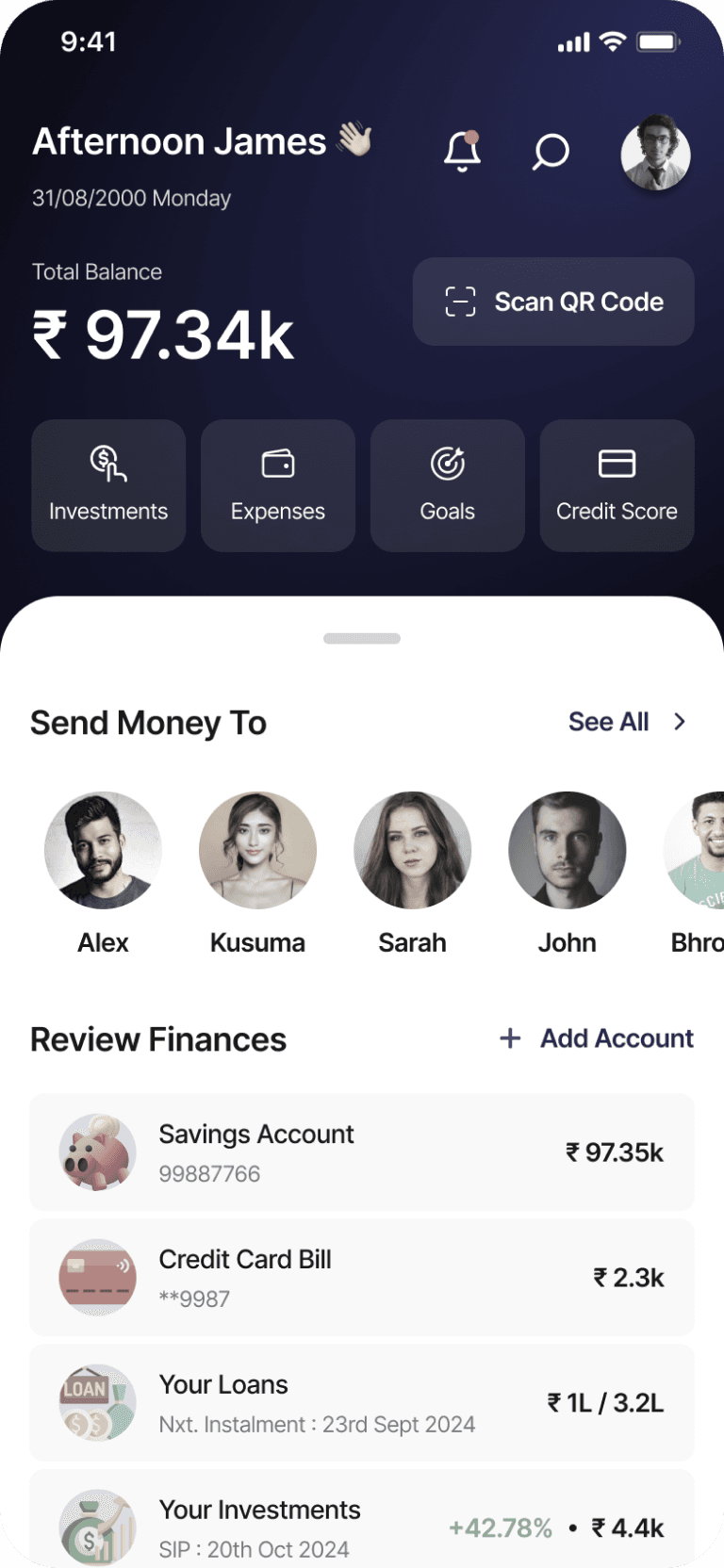
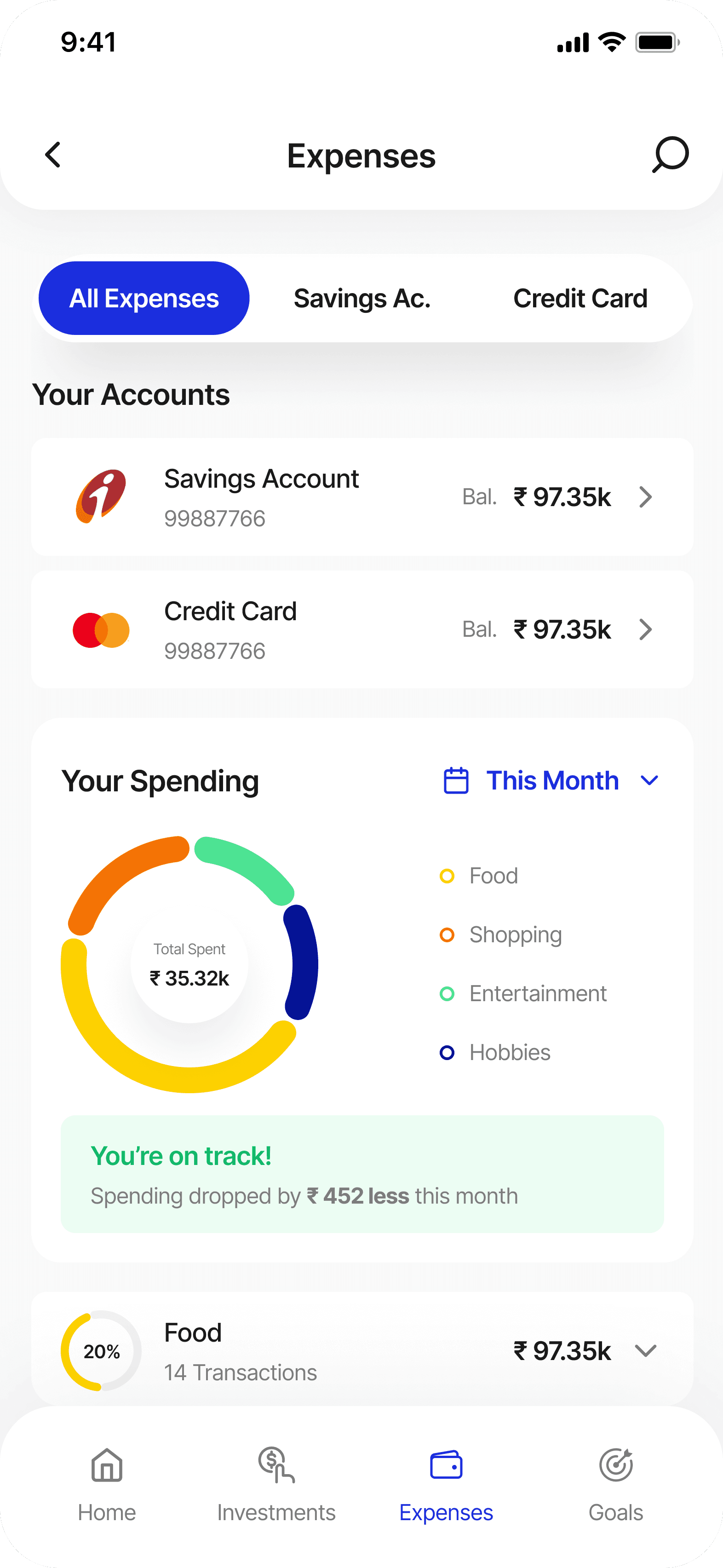
The contrast check in ZebPay ensures that all colors used within the app have sufficient differentiation to be easily distinguishable. This maintains clarity and readability, making the interface more accessible and user-friendly. By optimizing color contrast, ZebPay ensures that critical financial information, alerts, and navigation elements remain visible to all users — including those with visual impairments or when using the app in varying lighting conditions.
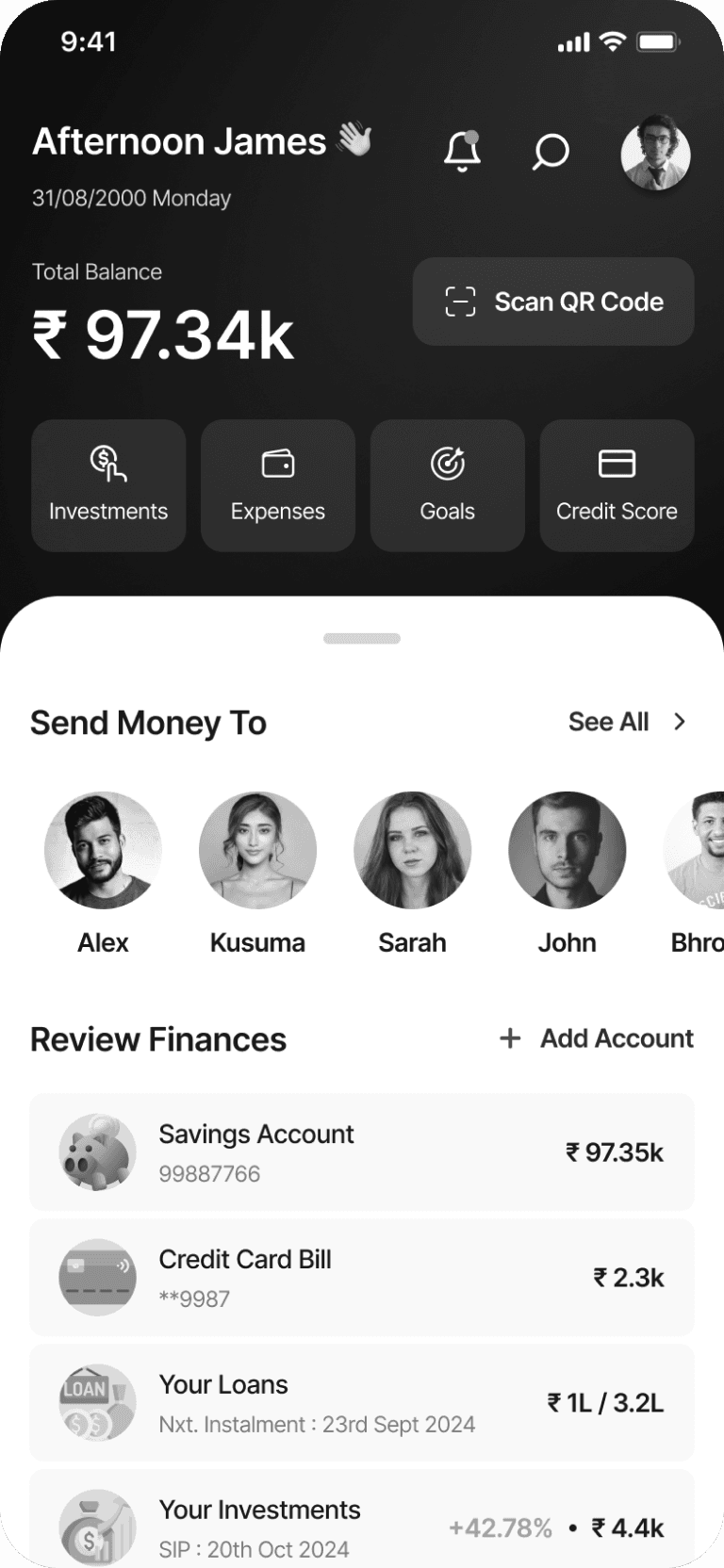
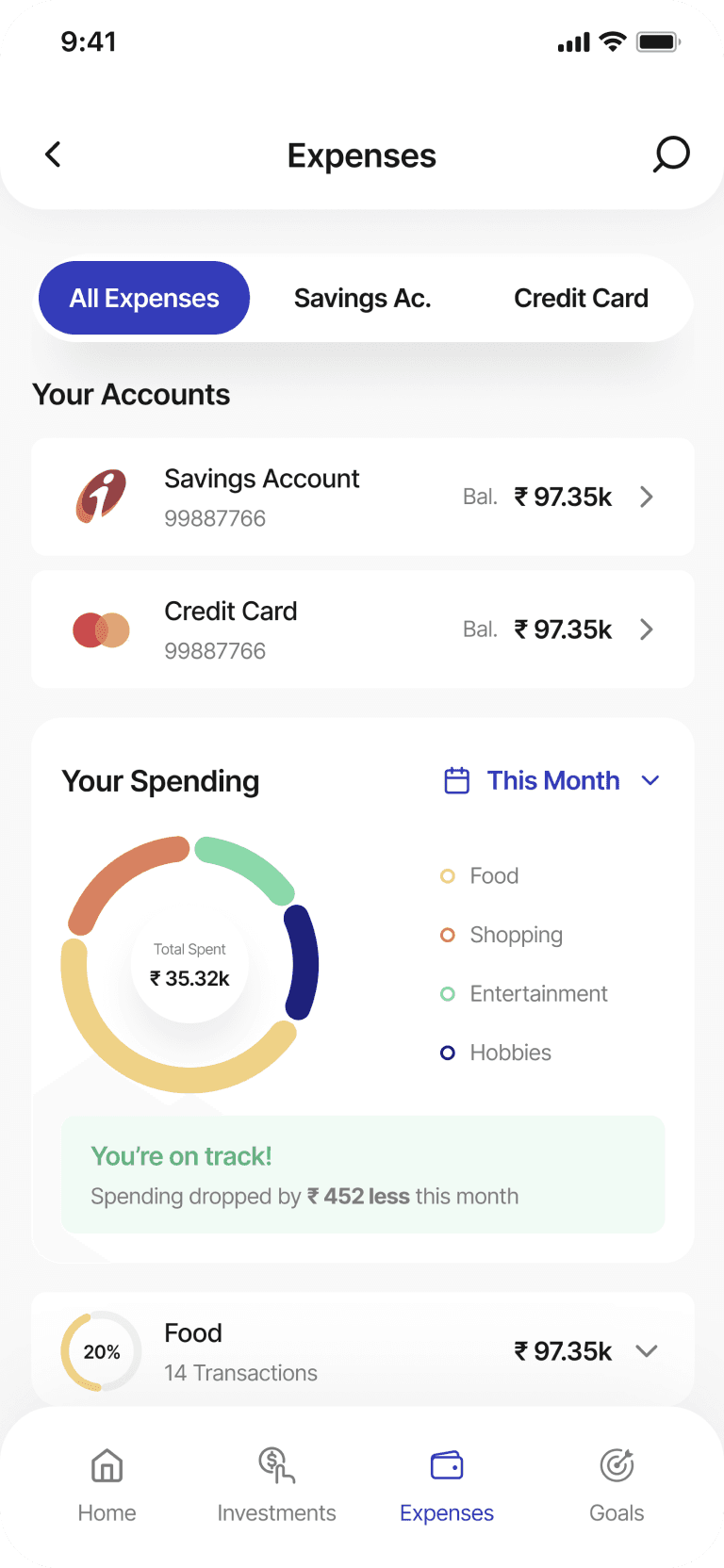
Colour Blindness Check
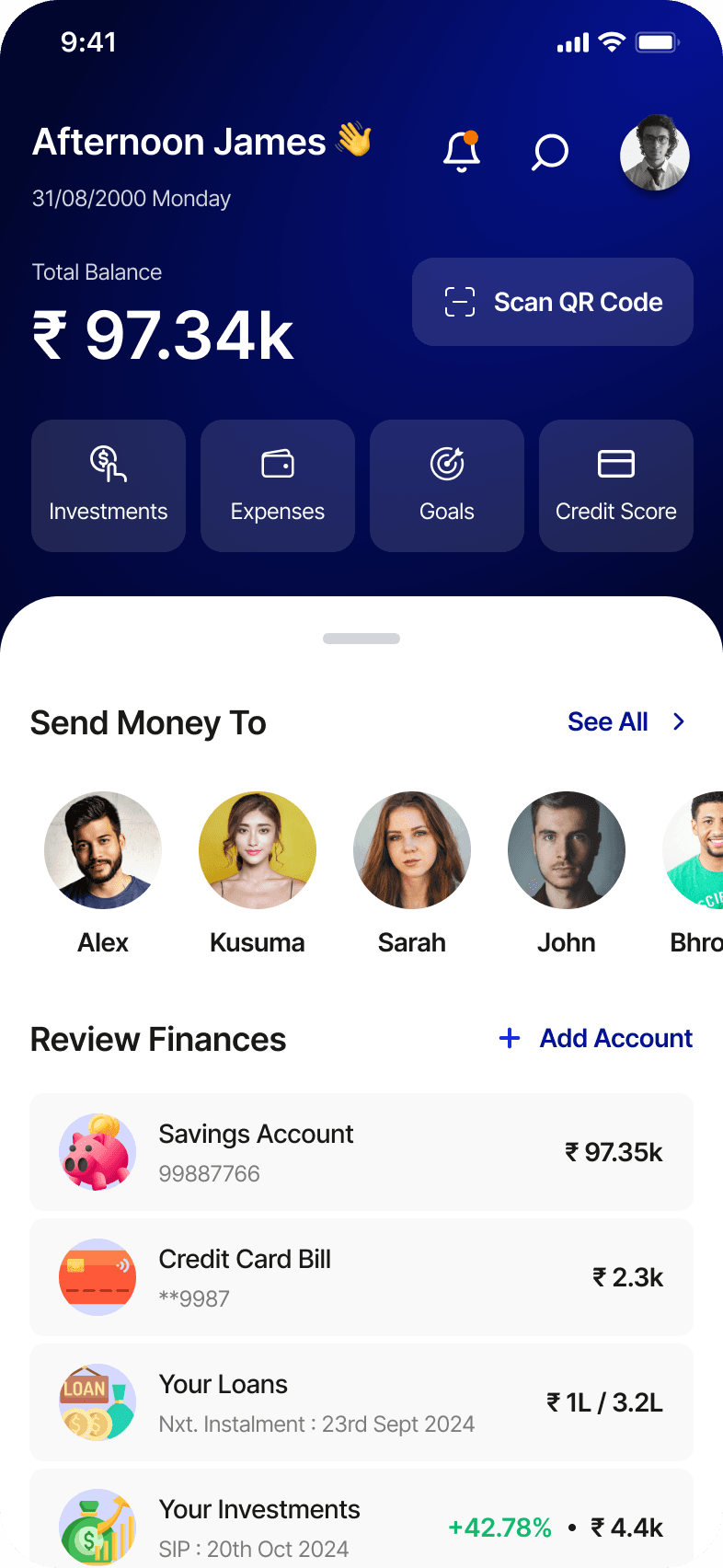
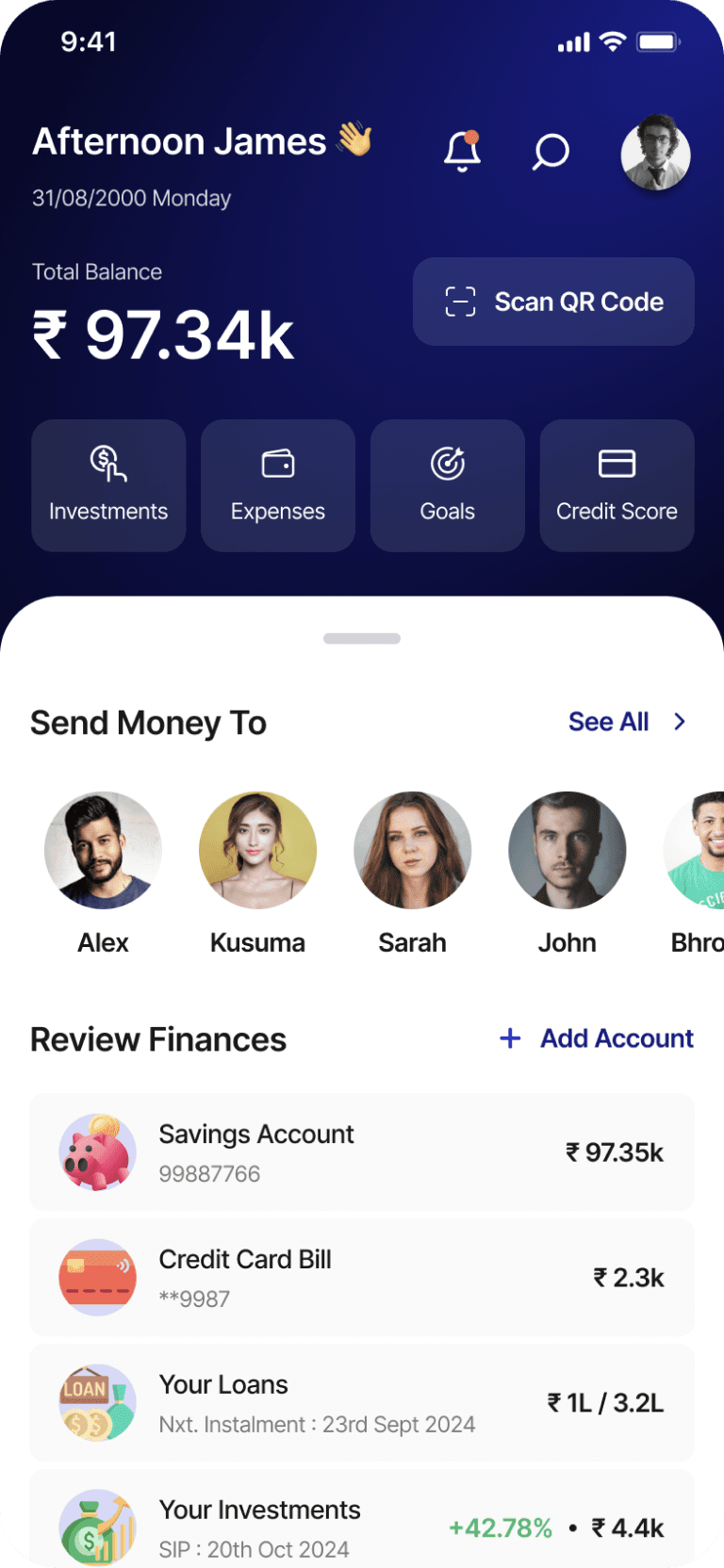
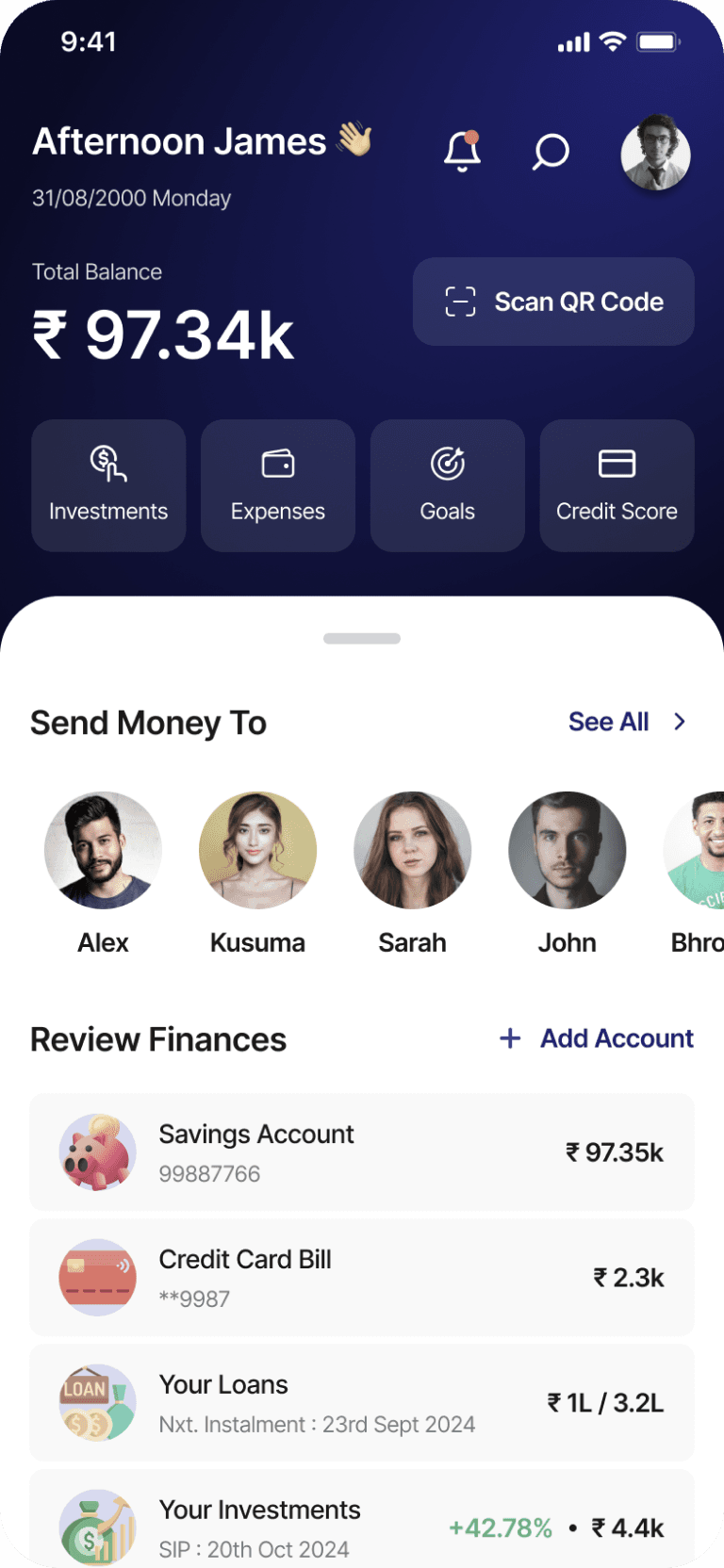
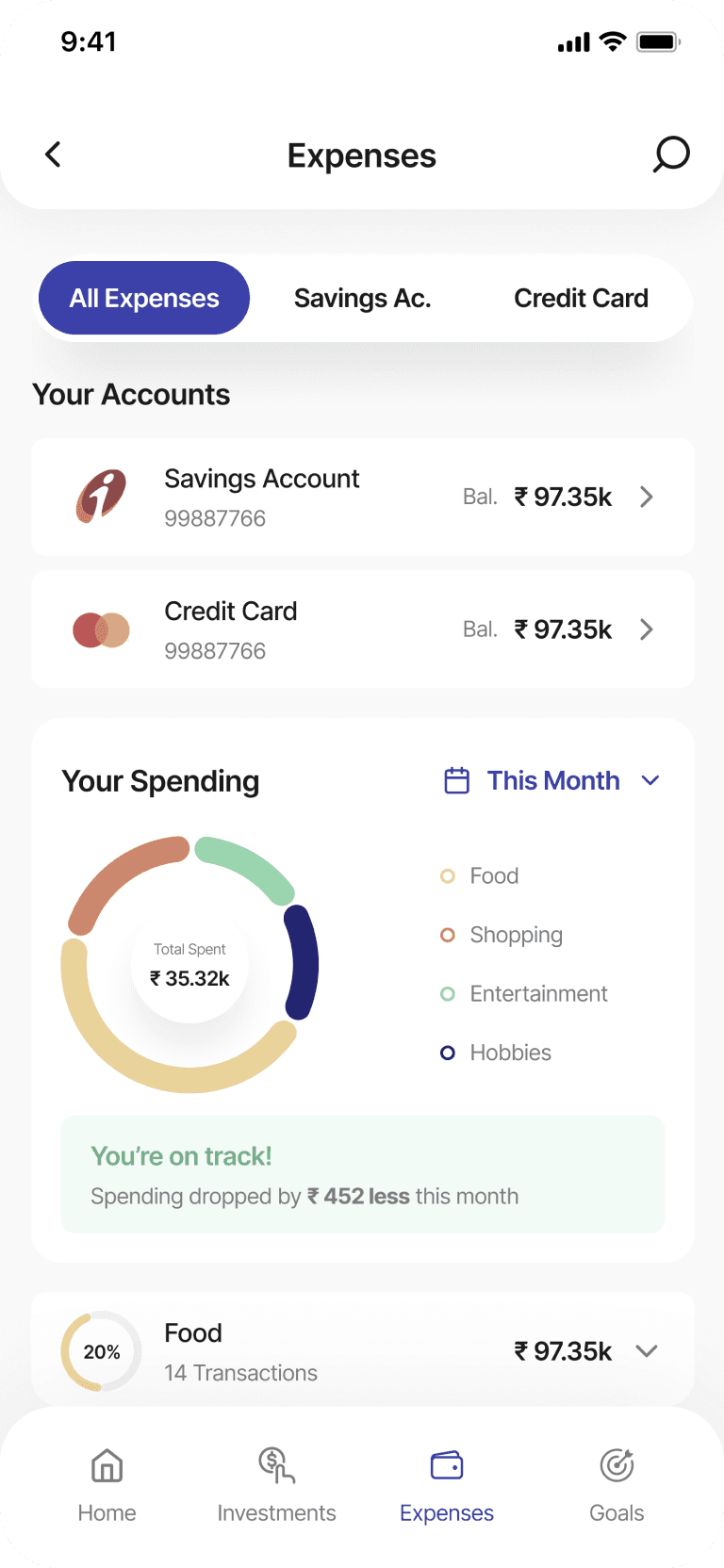
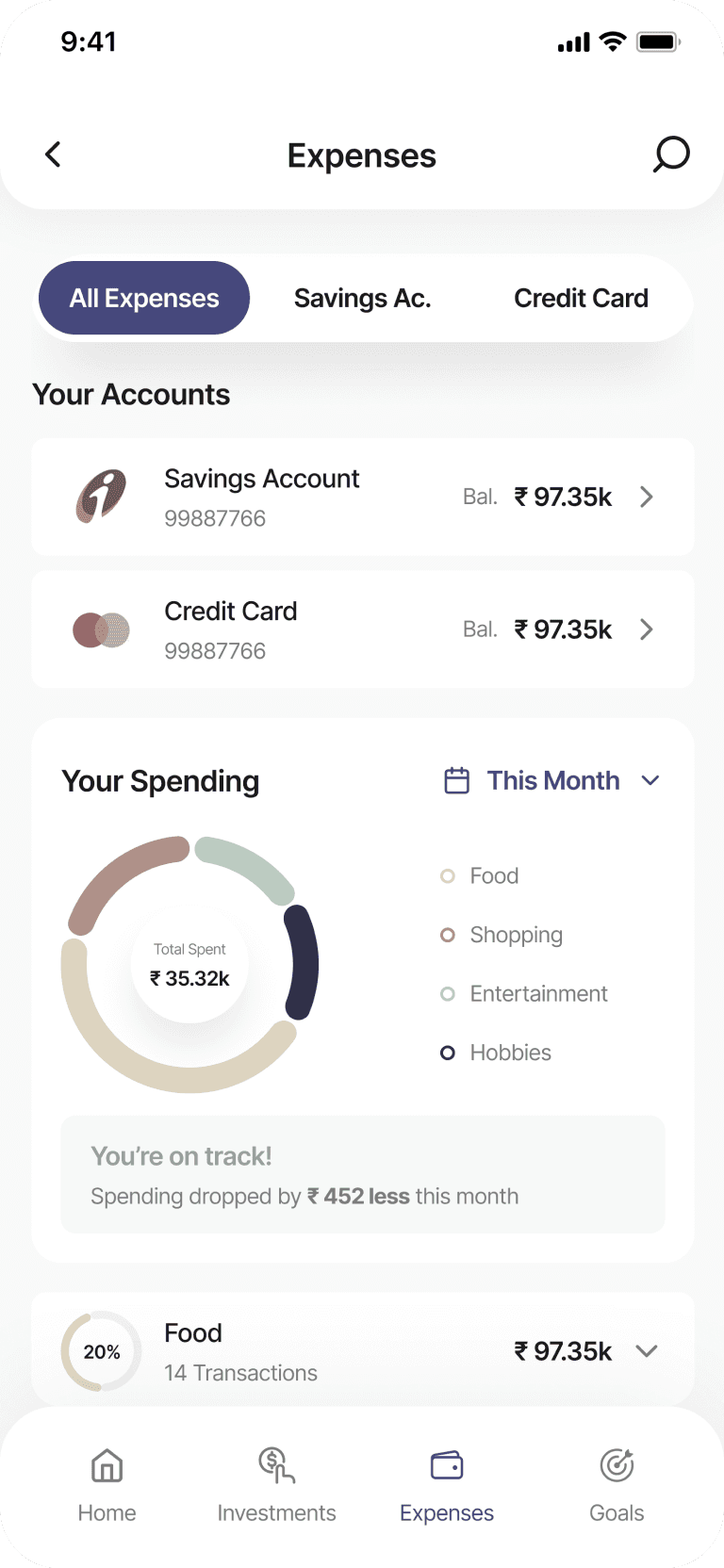
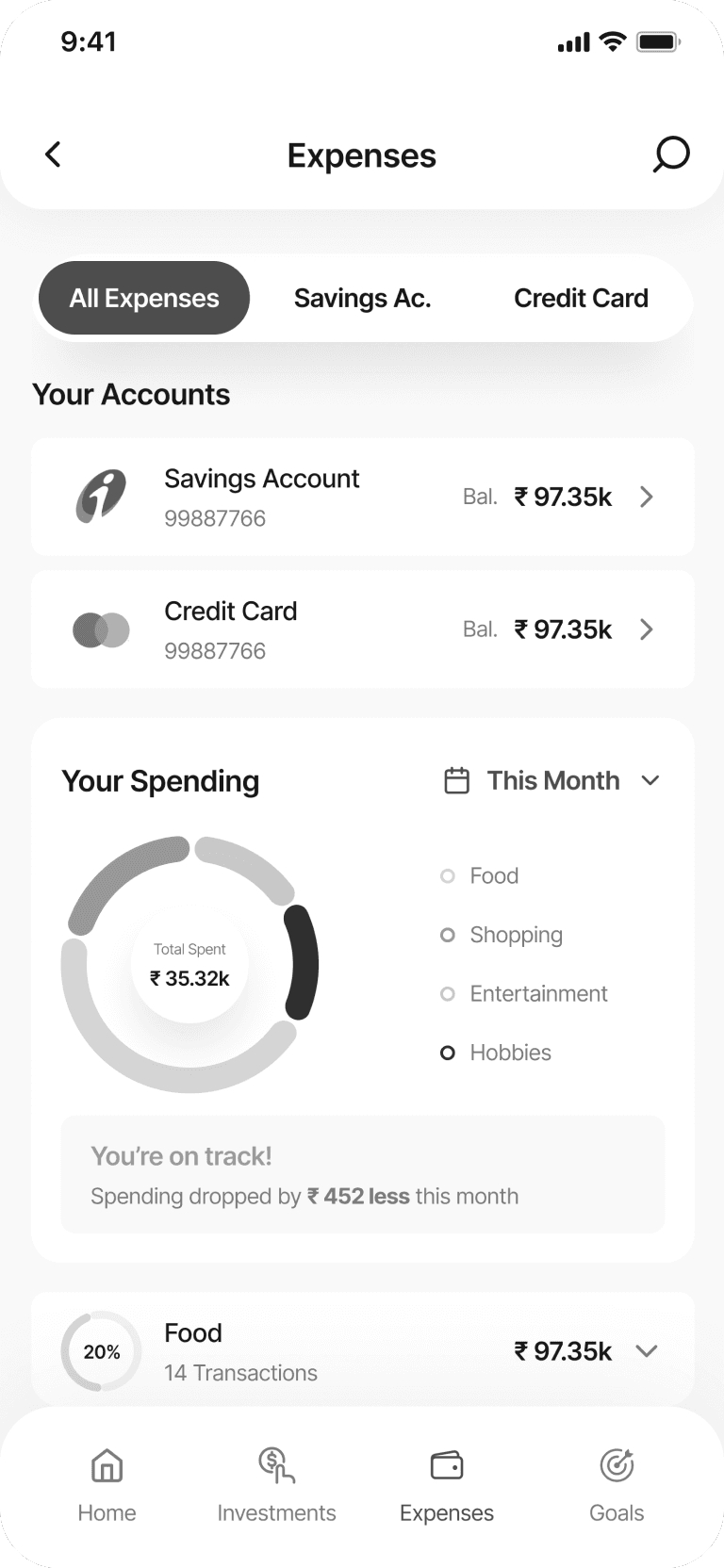
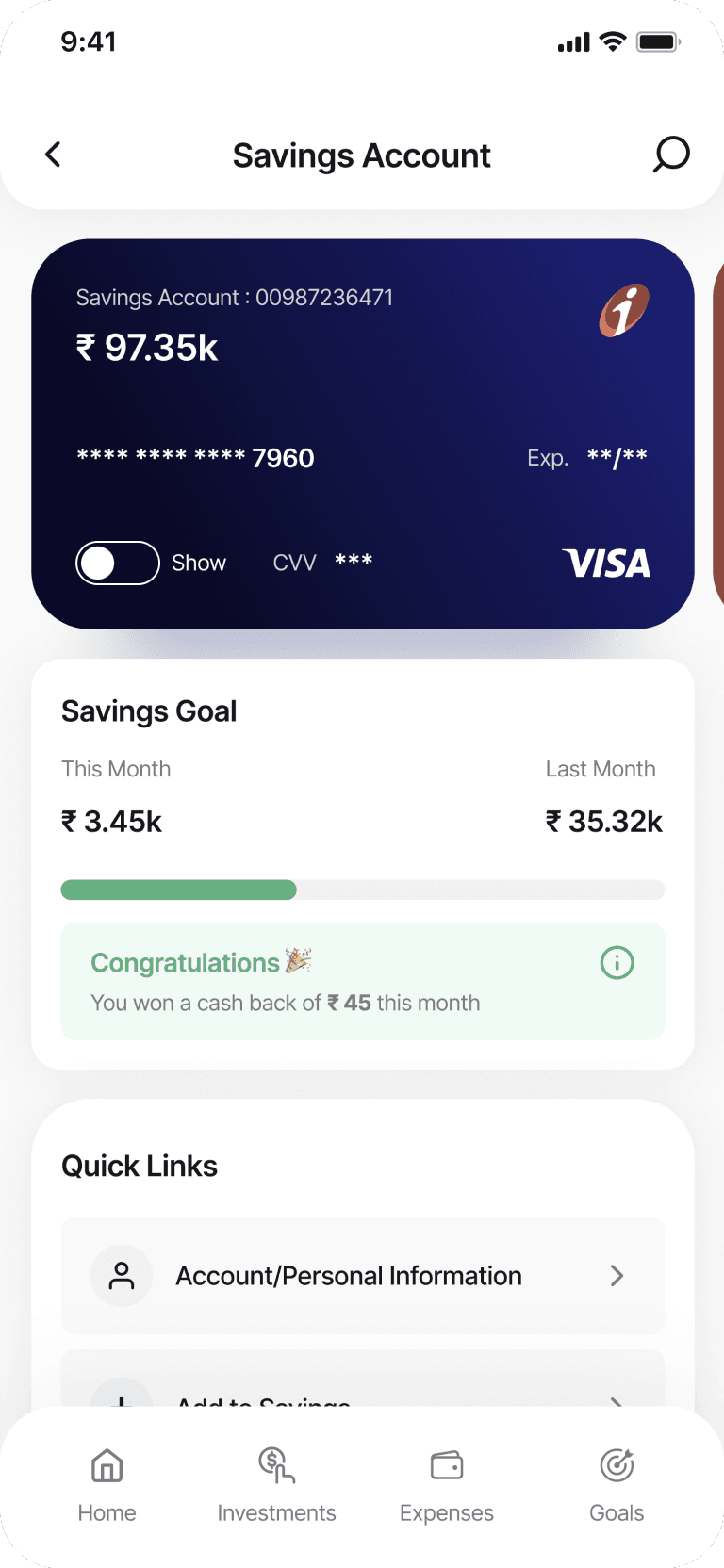
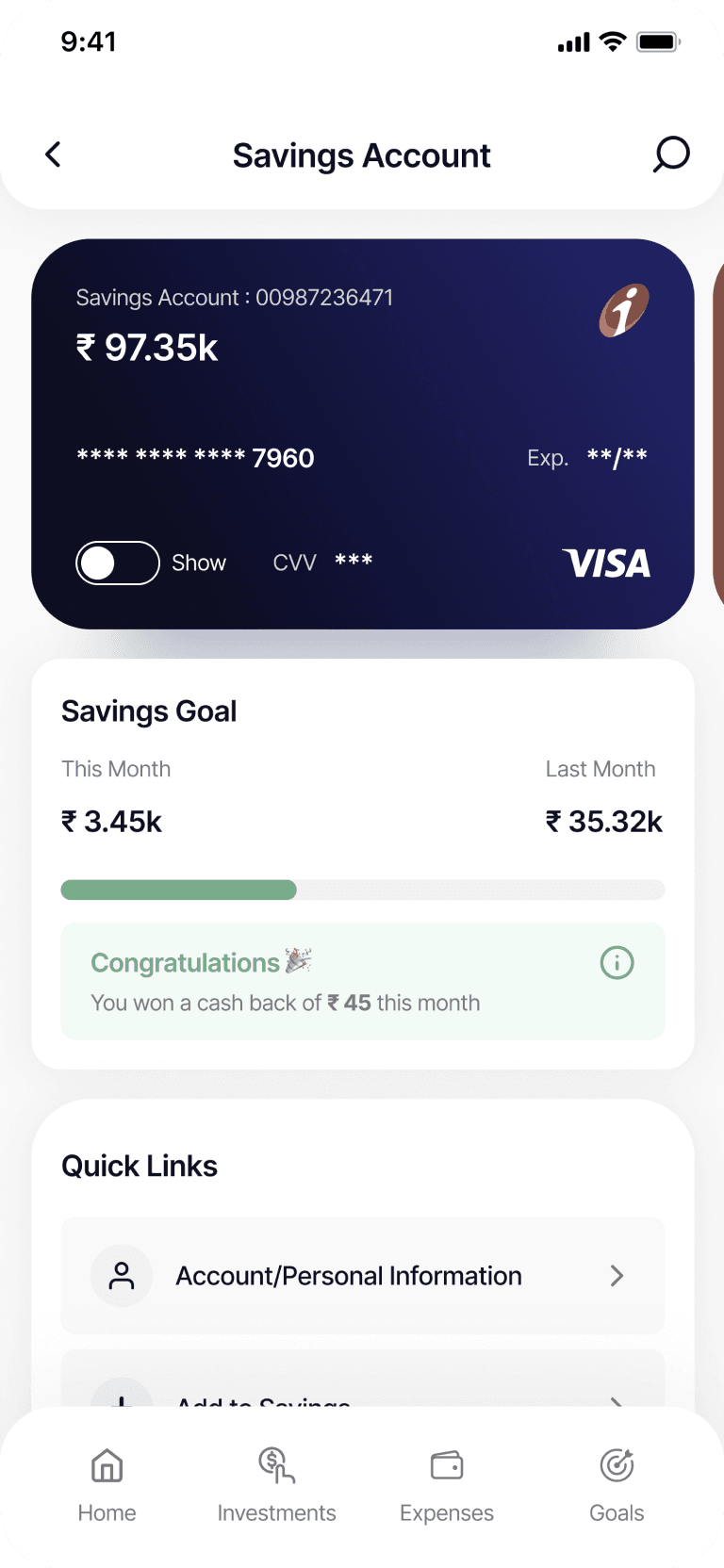
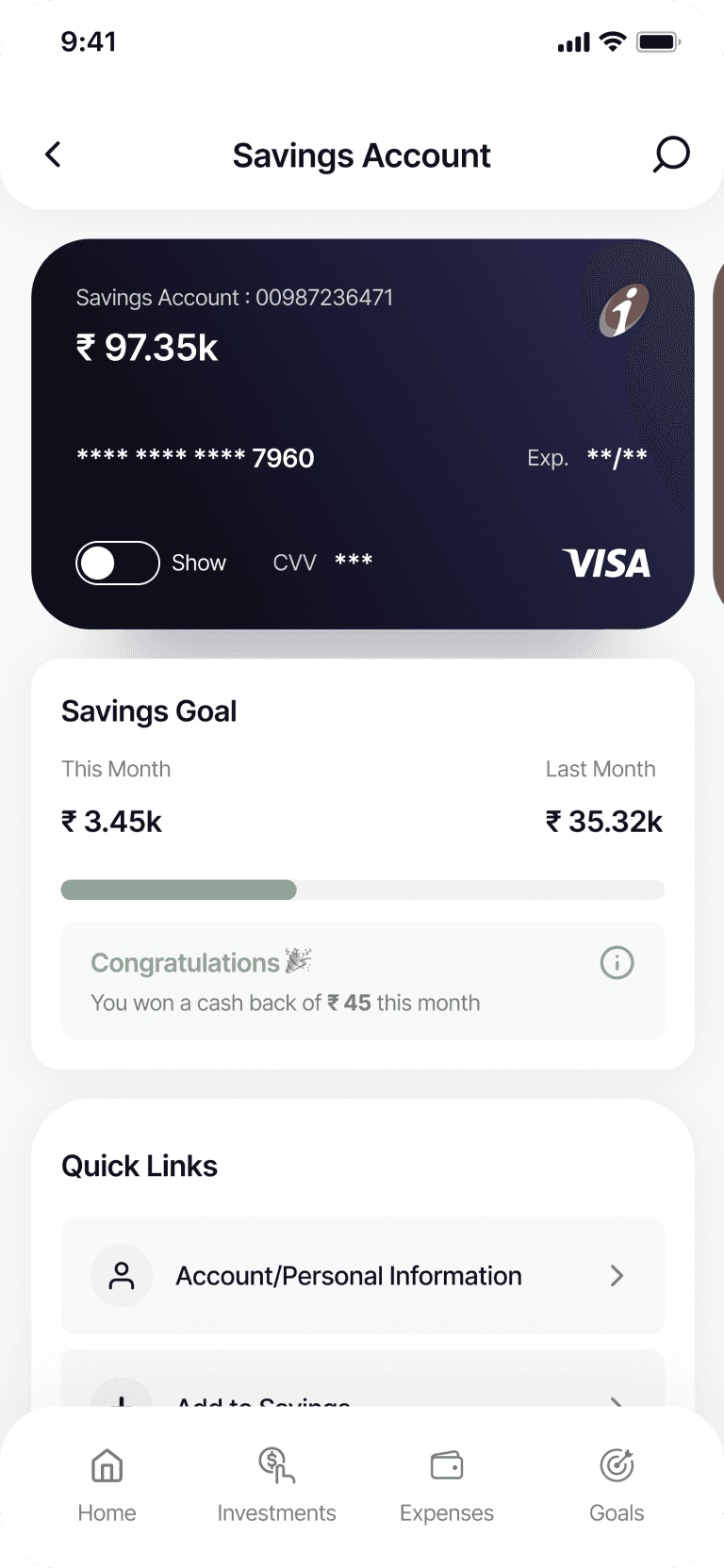
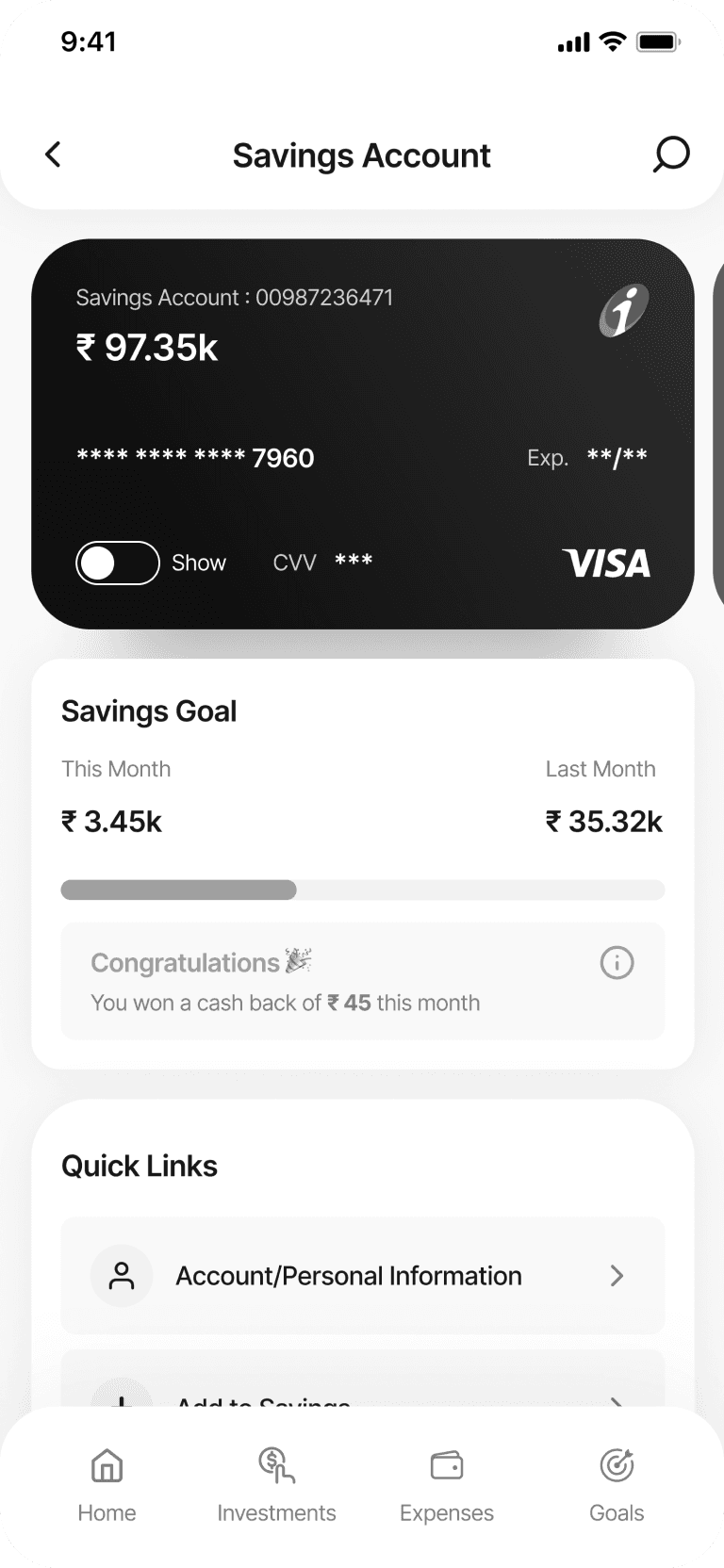
The colour blindness check in ZebPay ensures that the app’s interface is accessible to users with different types of colour vision deficiencies. Various forms of colour blindness are considered when selecting and adjusting colour palettes, ensuring that important financial information, alerts, and navigation elements remain clear and distinguishable. This enhances ZebPay’s overall inclusivity, making the platform usable and enjoyable for a broader range of users, regardless of their colour perception abilities.


Reach Out
I document my learnings once a month. I would love to share them with you over mail. No bullshit. No spam. Straight up value.